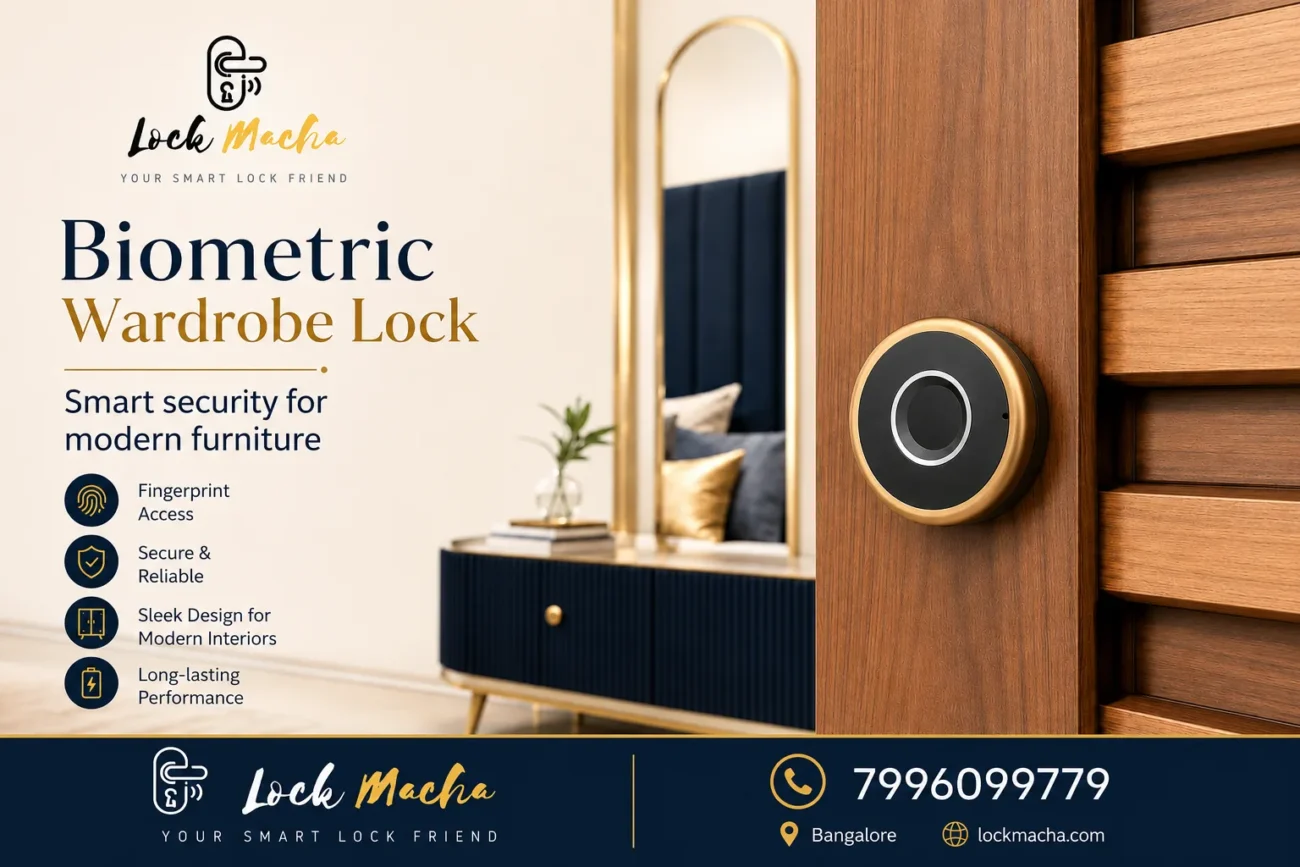
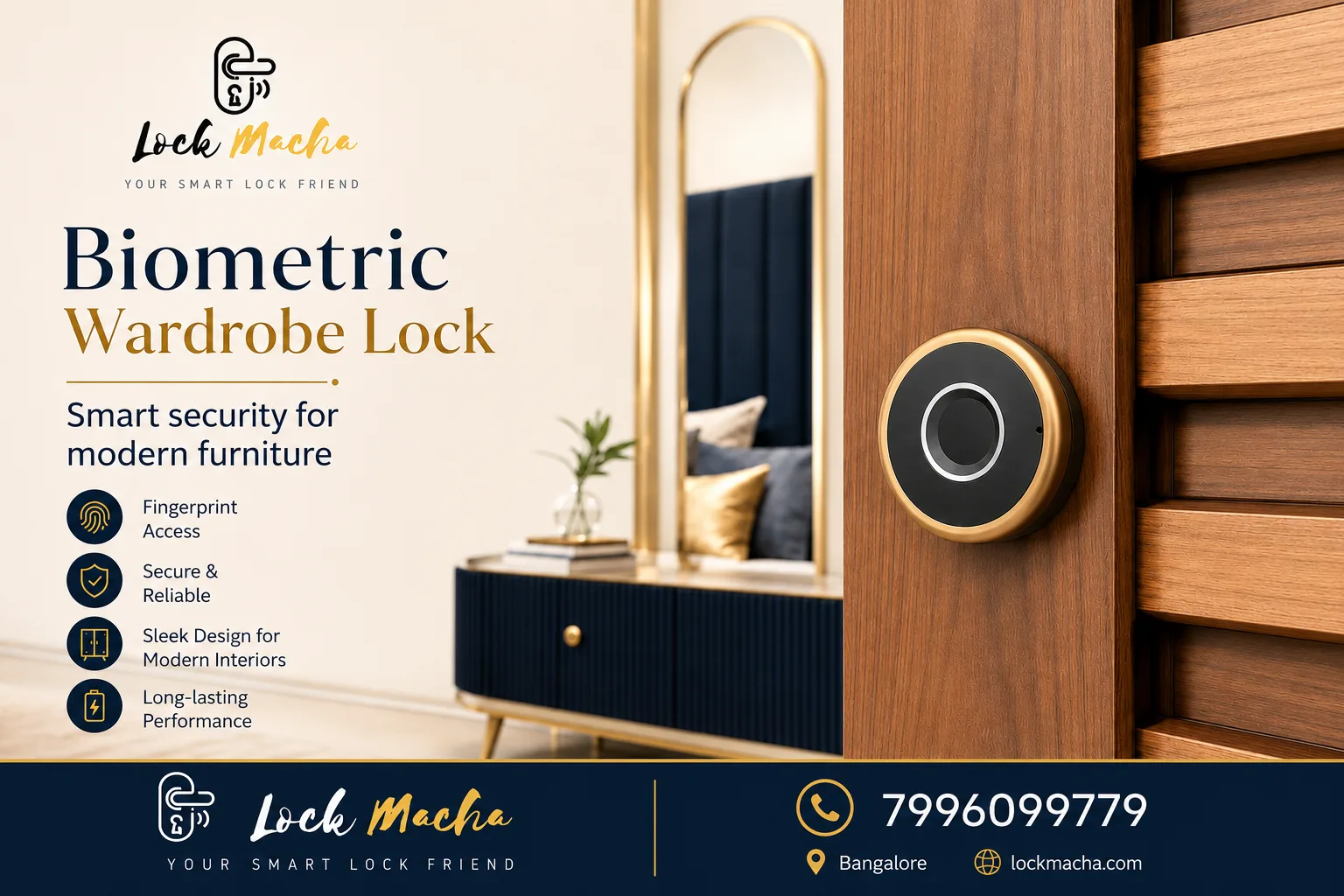
wardrobe lock

Digital Wardrobe Locks: A Smarter Way to Secure Wardrobes, Cabinets and Drawers

Wardrobes and cabinets often contain some of the most important items in a home or office. Jewellery, documents, cash, medicines, personal belongings, office files and electronic devices may all be stored inside them.
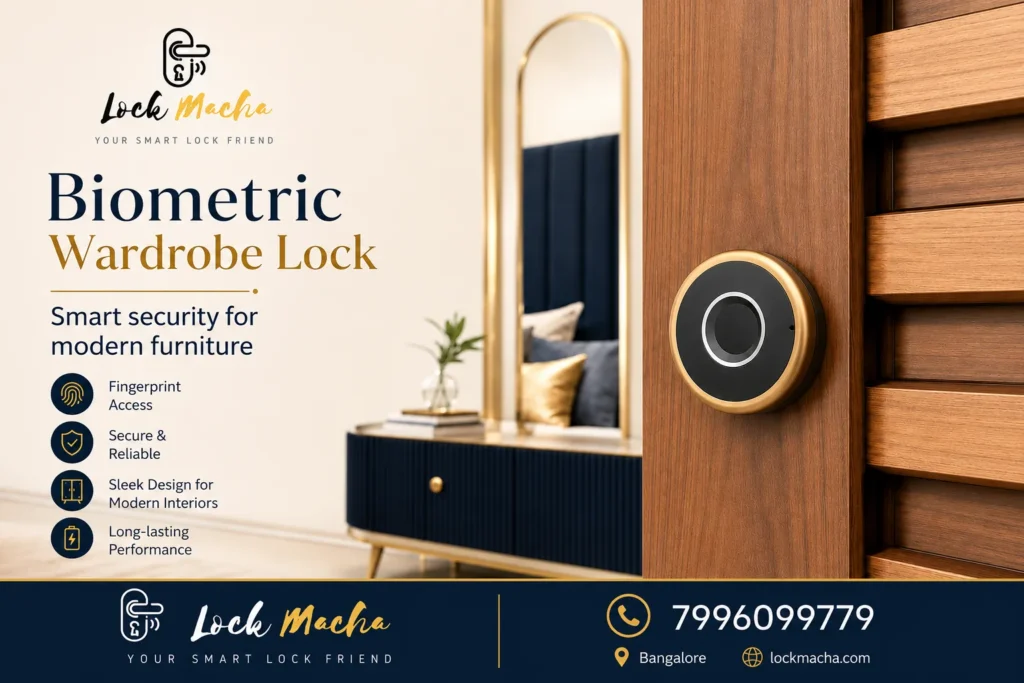
wardrobe lock

Traditional keys can provide basic protection, but they can also be lost, copied or left in an accessible place. A digital wardrobe lock provides a convenient, keyless way to control access to wardrobes, cabinets and drawers.

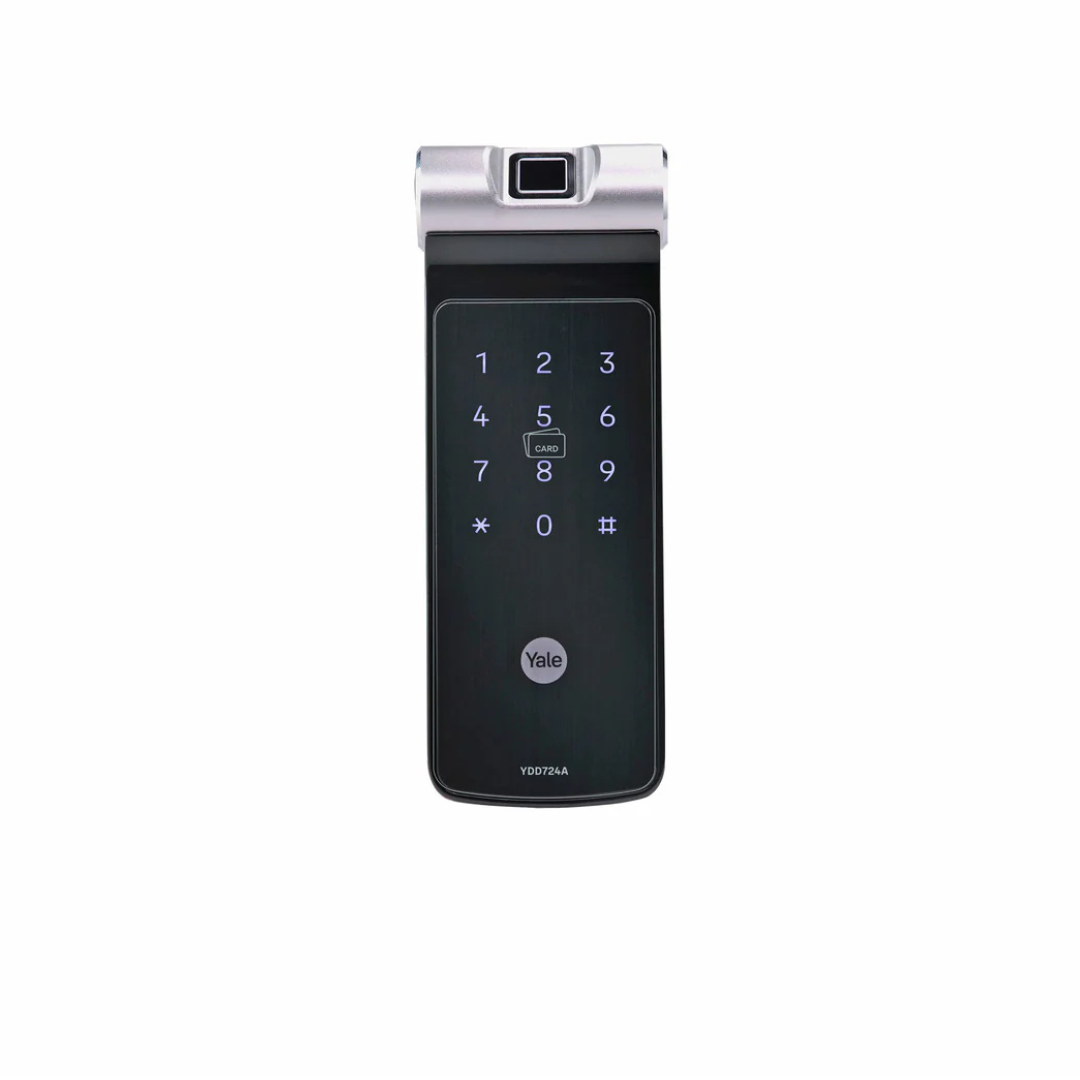
Depending on the model, users may unlock the furniture using a fingerprint, PIN code, RFID card or mobile application. However, the correct lock must be selected based on the wardrobe material, door thickness, opening style and available installation space.

This guide explains how digital wardrobe locks work, where they can be used and what customers should check before purchasing one.

What Is a Digital Wardrobe Lock?

A digital wardrobe lock is an electronic locking system designed for furniture such as:

  • Wooden wardrobes
  • Storage cabinets
  • Office cupboards
  • Drawers
  • Jewellery cabinets
  • Display cabinets
  • Personal lockers
  • Custom furniture

Instead of relying only on a mechanical key, a digital wardrobe lock may support one or more access methods, including:

  • Fingerprint access
  • PIN code
  • RFID card
  • Mobile application
  • Bluetooth access
  • Emergency mechanical key

The available features depend on the selected lock model.

Why Choose a Digital Lock for Your Wardrobe?

A digital lock can improve both convenience and access control.

1. Keyless Access

There is no need to carry a separate wardrobe key every day. Authorised users can open the wardrobe using their fingerprint, PIN or card.

2. Controlled Access

Only registered users can access the wardrobe or cabinet. This can be helpful in shared homes, offices, clinics, shops and other commercial spaces.

3. Quick and Convenient Operation

A fingerprint wardrobe lock can provide fast access without searching for a key.

4. Reduced Risk of Lost Keys

Traditional wardrobe keys are small and can easily be misplaced. Digital access reduces dependence on physical keys.

5. Clean and Modern Appearance

Many digital cabinet locks have a compact design that blends with modern wardrobes and customised furniture.

6. Suitable for New and Existing Furniture

Some models can be installed on existing wardrobes, while others may be better suited for new furniture during fabrication.

Compatibility must be checked before purchase.

Where Can Digital Wardrobe Locks Be Used?

Digital wardrobe locks are suitable for many residential and commercial applications.

Homes and Apartments

They can be used for:

  • Jewellery storage
  • Important documents
  • Emergency cash
  • Personal belongings
  • Medicines
  • Electronic devices
  • Restricted-access storage

Offices

A digital cabinet lock can protect:

  • Confidential documents
  • Employee records
  • Company devices
  • Keys
  • Cash
  • Agreements
  • Sensitive files

Retail Shops

Retailers can use smart cabinet locks for:

  • Stock storage
  • Expensive accessories
  • Cash drawers
  • Product samples
  • Restricted cabinets

Clinics and Salons

Digital furniture locks can provide controlled access to:

  • Medicines
  • Equipment
  • Records
  • Personal storage
  • Consumable stock

Hotels and Rental Properties

They may also be considered for selected cabinets, staff storage or controlled-access furniture.

Types of Digital Wardrobe Locks

Different lock types are available depending on the required access method.

Fingerprint Wardrobe Lock

A fingerprint wardrobe lock opens after recognising a registered fingerprint.

It is suitable for customers who want:

  • Fast access
  • No PIN to remember
  • Limited authorised users
  • A modern keyless experience

Customers should confirm the number of fingerprints that can be registered and the emergency-access method.

PIN Code Wardrobe Lock

A PIN lock allows users to enter a numeric password.

It can be useful where:

  • More than one person needs access
  • Fingerprint access is not preferred
  • Codes need to be changed occasionally
  • Staff access must be controlled

The PIN should be changed periodically and should not be shared unnecessarily.

RFID Wardrobe Lock

An RFID lock opens using a compatible card or tag.

It may be suitable for:

  • Offices
  • Hotels
  • Staff lockers
  • Commercial storage
  • Shared furniture

Customers should confirm how replacement cards can be added or removed.

App-Enabled Wardrobe Lock

Some smart wardrobe locks may support access or settings through a mobile application.

Features may include:

  • Bluetooth unlocking
  • User management
  • Access sharing
  • Lock settings
  • Activity information

App features vary by model, and customers should confirm compatibility with their phone before purchase.

Digital Wardrobe Lock vs Traditional Key Lock

FeatureTraditional Key LockDigital Wardrobe Lock
Access methodPhysical keyFingerprint, PIN, card or app
Lost-key riskHigherReduced
User controlLimitedMultiple users may be managed
ConvenienceKey requiredKeyless access
AppearanceBasicModern and compact
Emergency accessSpare keyDepends on model
InstallationUsually simpleCompatibility must be checked

A digital lock does not automatically suit every wardrobe. The furniture design and installation conditions must be reviewed first.

What to Check Before Buying a Digital Wardrobe Lock

Choosing the correct digital wardrobe lock requires more than selecting a design online.

1. Wardrobe Material

Confirm whether the wardrobe is made from:

  • Plywood
  • MDF
  • Solid wood
  • Laminate board
  • Metal
  • Glass
  • Aluminium-frame material

Not every lock is suitable for every material.

2. Door Thickness

The wardrobe door thickness can affect lock compatibility and screw selection.

Measure the thickness accurately before purchasing.

3. Door Opening Style

Digital locks may need different installation arrangements for:

  • Single swing doors
  • Double doors
  • Sliding doors
  • Drawers
  • Cabinets
  • Glass shutters

A lock designed for a hinged wardrobe may not work correctly on a sliding door.

4. Available Internal Space

Some lock bodies and latches are installed inside the cabinet. Check whether shelves, drawers or stored items will block the mechanism.

5. Door Alignment

The wardrobe shutter and frame must be properly aligned. A misaligned door can make locking difficult even when the electronic system is working correctly.

6. Locking Direction

Check whether the lock is suitable for:

  • Left-opening doors
  • Right-opening doors
  • Horizontal drawers
  • Vertical shutters

7. Power Source

Many digital wardrobe locks use batteries.

Customers should understand:

  • Battery type
  • Battery life
  • Low-battery warning
  • Battery-replacement method
  • Emergency-power option

8. Emergency Access

Before purchasing, confirm what happens when:

  • The battery becomes weak
  • The fingerprint is not recognised
  • The PIN is forgotten
  • The card is lost
  • The electronic system requires service

Emergency access may vary by model.

9. Installation Requirements

Some locks require drilling and precise alignment. Incorrect installation can damage the furniture or affect lock performance.

Professional installation may be recommended for customized wardrobes and premium furniture.

Is a Digital Wardrobe Lock Suitable for Sliding Doors?

Some digital locks can be used for sliding wardrobes, but compatibility depends on the locking mechanism and the gap between the shutters.

Before selecting a lock for a sliding wardrobe, check:

  • Number of sliding panels
  • Overlap between the doors
  • Door thickness
  • Frame material
  • Lock placement
  • Available internal clearance

A standard cabinet lock should not be installed on a sliding door without confirming compatibility.

Can a Digital Wardrobe Lock Be Installed on an Existing Wardrobe?

In many cases, a digital lock can be installed on an existing wardrobe.

However, installation depends on:

  • Wardrobe material
  • Door condition
  • Door thickness
  • Existing lock cut-outs
  • Space behind the shutter
  • Internal shelf position
  • Alignment between the shutter and frame

For some wardrobes, a new lock may cover the existing keyhole. In other cases, carpentry work may be required.

When Is a Site Inspection Required?

A site inspection or detailed compatibility check may be needed when:

  • The wardrobe has sliding doors
  • The furniture is made from glass or metal
  • The door is very thin
  • The wardrobe has customised shutters
  • There is an existing lock cut-out
  • The door alignment is unclear
  • Multiple locks are required
  • The furniture is expensive or delicate
  • Internal drawers may block the lock body
  • The customer is unsure where the lock should be installed

For many standard wooden wardrobes, compatibility can first be checked using photos, measurements and a short consultation.

What Photos and Measurements Should You Send?

Before buying a digital wardrobe lock, send:

  • Front photo of the complete wardrobe
  • Close-up photo of the door edge
  • Photo of the inside of the shutter
  • Photo of the wardrobe frame
  • Door thickness measurement
  • Gap between the shutter and frame
  • Existing lock photo
  • Total available installation area
  • Details of whether the door is hinged or sliding
  • Preferred access method

Digital Wardrobe Lock for Home

A digital wardrobe lock for home can provide convenient access to private storage.

It may be suitable for keeping:

  • Jewellery
  • Personal documents
  • Passports
  • Cash
  • Medicines
  • Watches
  • Electronic devices
  • Personal files

Families should decide who needs access and choose a lock that supports the required number of users.

Digital Wardrobe Lock for Office

A digital cabinet lock for office use can help control access to:

  • Confidential records
  • Employee documents
  • Keys
  • Electronic devices
  • Company cash
  • Agreements
  • Restricted supplies

For shared office use, PIN or RFID access may sometimes be more practical than a fingerprint-only model.

Why Choose Lock Macha?

Lock Macha helps customers select suitable digital security products for homes, offices and commercial spaces.

Our assistance includes:

  • Digital wardrobe lock consultation
  • Compatibility checking through photos
  • Guidance based on wardrobe material
  • Door-thickness checking
  • Hinged and sliding-door guidance
  • Product-feature clarification
  • Installation coordination
  • Warranty guidance
  • After-sales assistance
  • Support for customers in Bangalore

Instead of selecting a lock only based on appearance or price, customers should confirm whether it is suitable for their furniture.

Frequently Asked Questions

Can a digital lock be installed on a wooden wardrobe?

Yes, many digital wardrobe locks can be installed on wooden, plywood or MDF wardrobe shutters. Compatibility depends on the door thickness, internal space and lock design. Photos and measurements should be checked before drilling.

Can a digital wardrobe lock work without electricity?

Most digital wardrobe locks operate using batteries and do not require a direct electrical connection. Battery type, life and emergency-access options vary by model.

What happens if the battery runs out?

Some models provide an emergency key, external power connection or another override method. Customers should confirm the emergency-access system before buying.

Can it be installed on a sliding wardrobe?

Only certain locks are suitable for sliding wardrobes. The door overlap, gap, thickness and locking direction must be checked before selecting the product.

Is fingerprint access better than a PIN?

Fingerprint access is fast and convenient, while PIN access may be useful when several people require access. The better option depends on the number of users and the intended application.

Can an old wardrobe key lock be replaced?

It may be possible to replace or cover an existing key lock, but the old cut-out, shutter condition and available mounting area must first be checked.

Does installation damage the wardrobe?

Most digital wardrobe locks require drilling or a cut-out. Proper installation helps minimise unnecessary damage and ensures correct alignment.

Is a digital wardrobe lock suitable for offices?

Yes. Digital cabinet locks can be used for confidential files, keys, cash, devices and restricted office storage. The access method should match the number of authorised users.

Conclusion

A digital wardrobe lock offers a convenient and modern way to control access to wardrobes, cabinets and drawers.

However, the right lock must match the wardrobe material, door thickness, opening style and installation space. Fingerprint, PIN, RFID and app-enabled models each offer different benefits.

Before purchasing, send clear photos and measurements to a digital-lock specialist. This can help avoid selecting an incompatible product or damaging the furniture during installation.

Contact Lock Macha
Phone: 7996099779
Location: Bangalore
Website: lockmacha.com
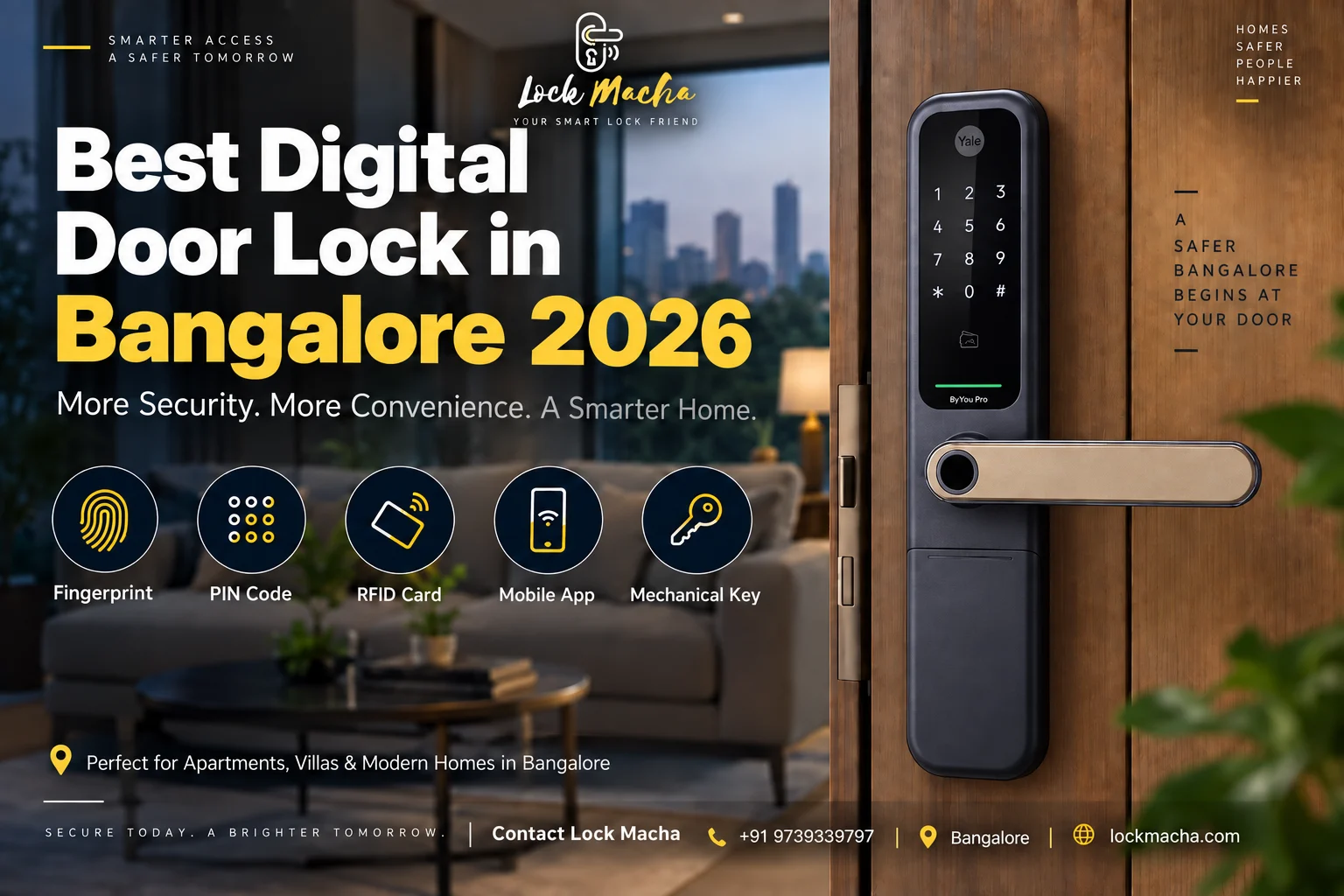
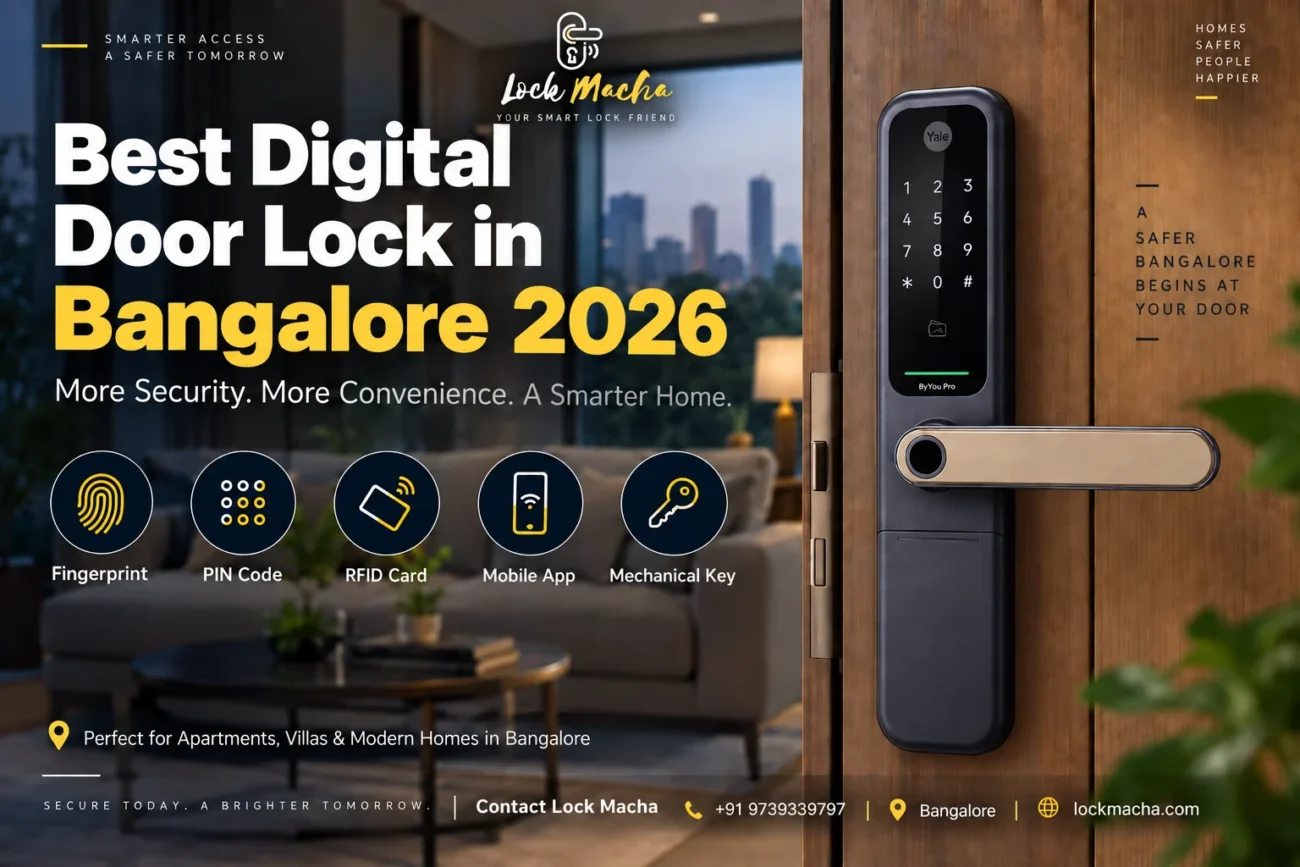
Best Digital Door Lock in Bangalore

Best Digital Door Lock in Bangalore 2026: Prices, Features & Installation

Choosing the best digital door lock in Bangalore is no longer just about replacing your house key.

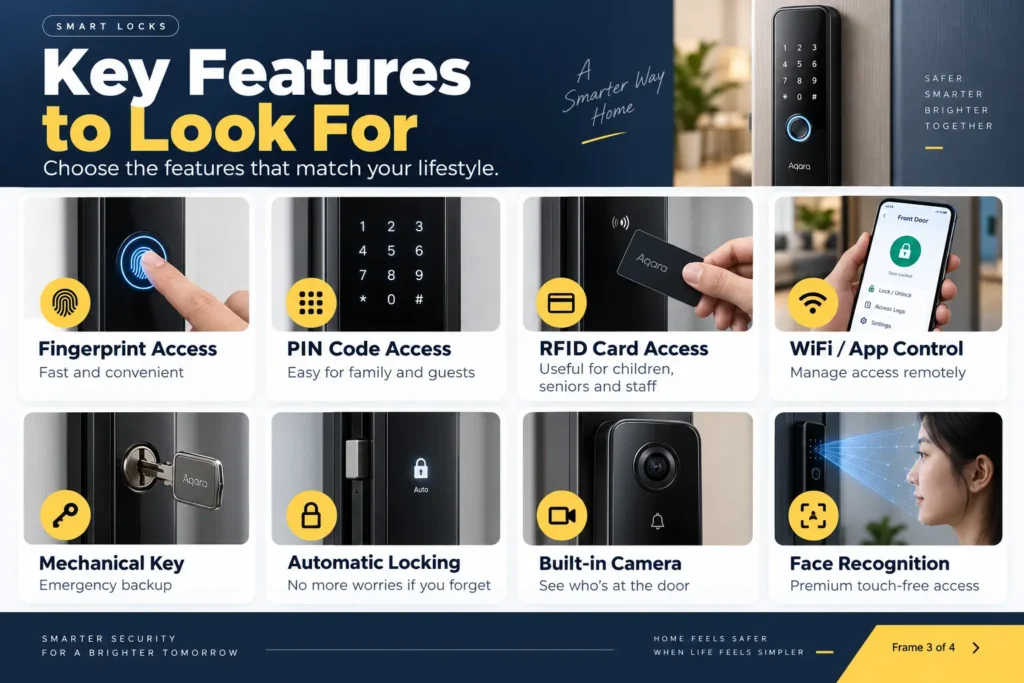
Today, homeowners want fingerprint access, PIN codes, RFID cards, mobile-app control, automatic locking and even remote access—all while making sure the lock actually fits their main door.

But there is one major problem:

Not every smart lock is suitable for every door.

Your door thickness, material, opening direction, existing mortise, family requirements and smart-home needs all matter.

This 2026 guide explains what to look for, how much a digital door lock in Bangalore may cost, which features are genuinely useful, and what you should check before installation.

Quick Answer: Which Is the Best Digital Door Lock in Bangalore?

The best digital door lock in Bangalore is one that matches your door thickness, door type and access requirements. For most homes, look for fingerprint, PIN and mechanical-key access, auto-locking and professional installation. Premium users can consider RFID, WiFi/app control, remote access and push-pull smart locks.

Why Are Digital Door Locks Becoming Popular in Bangalore?

Bangalore homes have changed considerably.

New apartments, premium villas, gated communities and renovated houses increasingly use smart security products instead of depending entirely on traditional keys.

A smart door lock in Bangalore can solve several everyday problems.

You no longer have to worry about:

  • Carrying keys every day
  • Children losing keys
  • Making duplicate keys for family members
  • Giving permanent keys to domestic staff
  • Wondering whether you locked the door
  • Managing temporary access for visitors
  • Searching for keys late at night
  • Changing cylinders when a key is lost

Depending on the model, you can simply unlock the main door using your fingerprint, PIN, RFID card or smartphone.

Some connected smart locks can also provide app-based monitoring and remote access. Yale, for example, offers compatible locks that can work with its Home app and Wi-Fi/Bluetooth accessories depending on the model.

What Is the Best Digital Door Lock in Bangalore for Your Home?

There is no single smart lock that is perfect for every Bangalore home.

The right choice depends on five factors:

  1. Your door
  2. Your preferred unlocking methods
  3. Whether you need WiFi/mobile access
  4. Your budget
  5. Installation and after-sales support

Let’s understand each one.

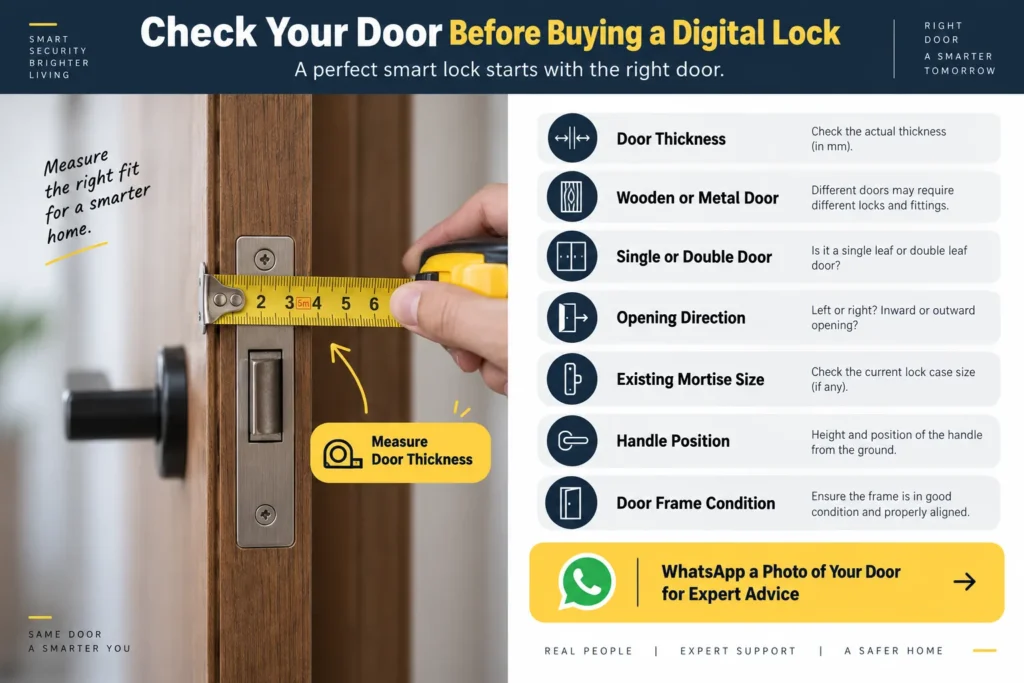
1. Check Your Door Before Choosing a Digital Lock

This should always come before choosing the model.

A beautiful ₹50,000 smart lock is useless if it is unsuitable for your door.

Check:

  • Door thickness
  • Wooden or metal door
  • Single or double door
  • Door opening direction
  • Existing mortise dimensions
  • Door frame
  • Handle position
  • Decorative beading or grooves
  • Distance between edge and decorative panels
  • Existing lock holes
  • Whether the door is properly aligned

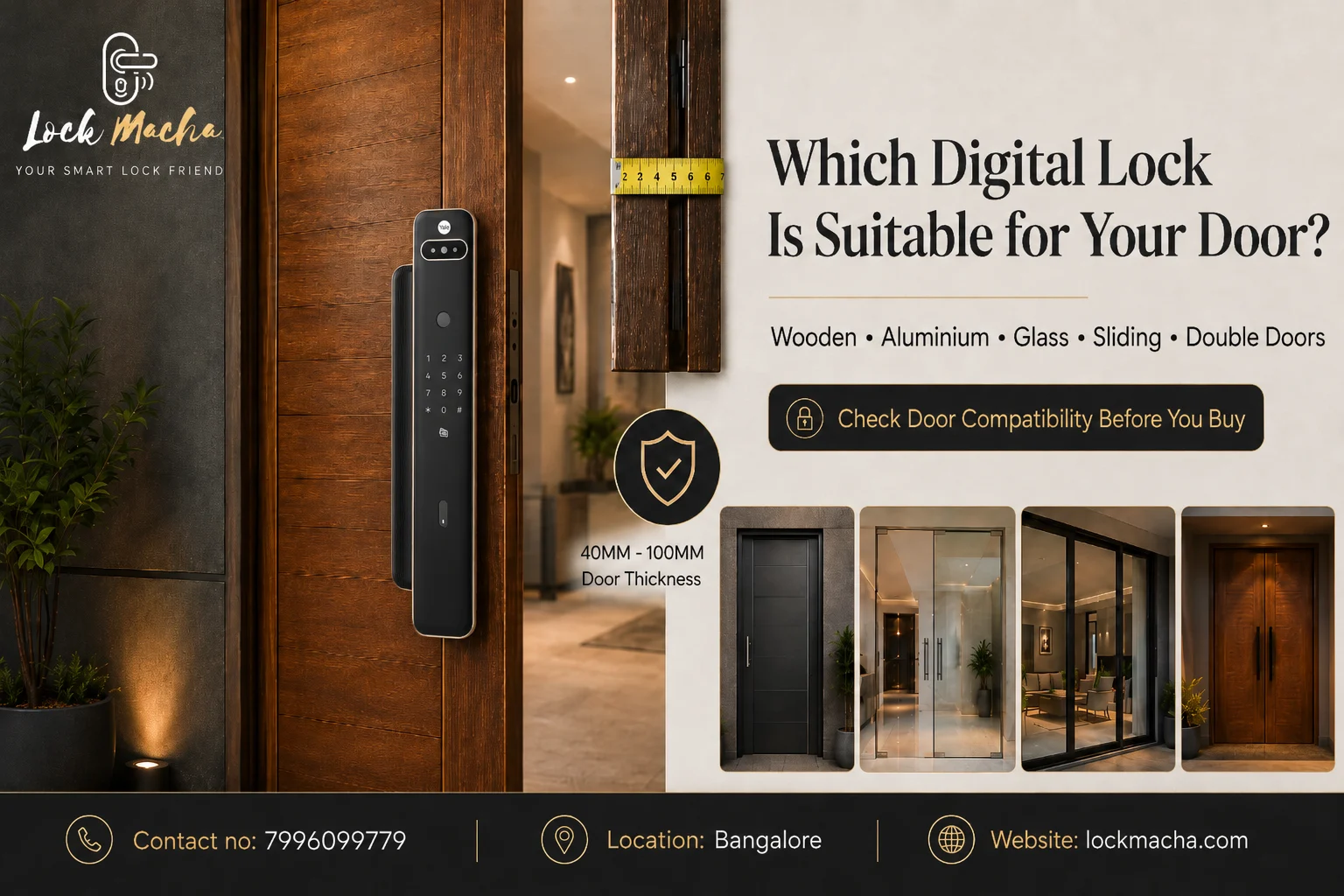
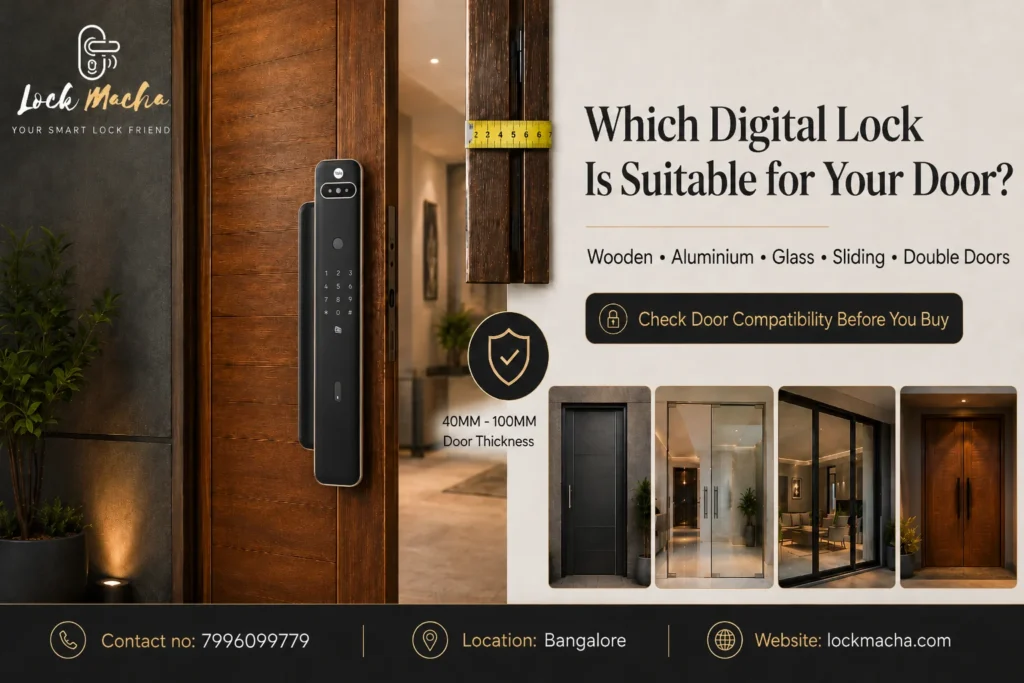
For example, Yale states that the Kyra Pro supports doors approximately 40–100 mm thick, while other models can have different requirements.

Pro Tip

WhatsApp a clear photograph of your door before buying a digital lock.

Include:

  • Front side
  • Back side
  • Door edge
  • Existing lock
  • Door thickness measurement

A lock specialist can then recommend compatible options before any drilling is done.

Best Digital Door Lock in Bangalore

Digital Lock Price in Bangalore: What Should You Expect in 2026?

One of the most searched questions is:

“What is the digital lock price in Bangalore?”

Prices vary greatly depending on brand, features, locking mechanism, connectivity and finish.

A practical market structure is:

Smart Lock TypeTypical Positioning
Basic PIN/RFID lockEntry-level
Fingerprint + PIN lockMid-range
Fingerprint + PIN + RFIDMid/premium
Connected app-enabled lockPremium
Push-pull smart lockPremium
Face-recognition smart lockLuxury/premium

Do not choose a lock based only on the lowest online price.

The complete cost can include:

Lock + accessories/modules + installation + door modification, if required.

Yale Digital Lock Price Examples in 2026

For reference, Yale India’s official 2026 price list includes models across several price categories.

Examples of listed MRPs include approximately:

  • YDM 4115A: ₹49,999
  • ByYou V Pro: ₹47,999
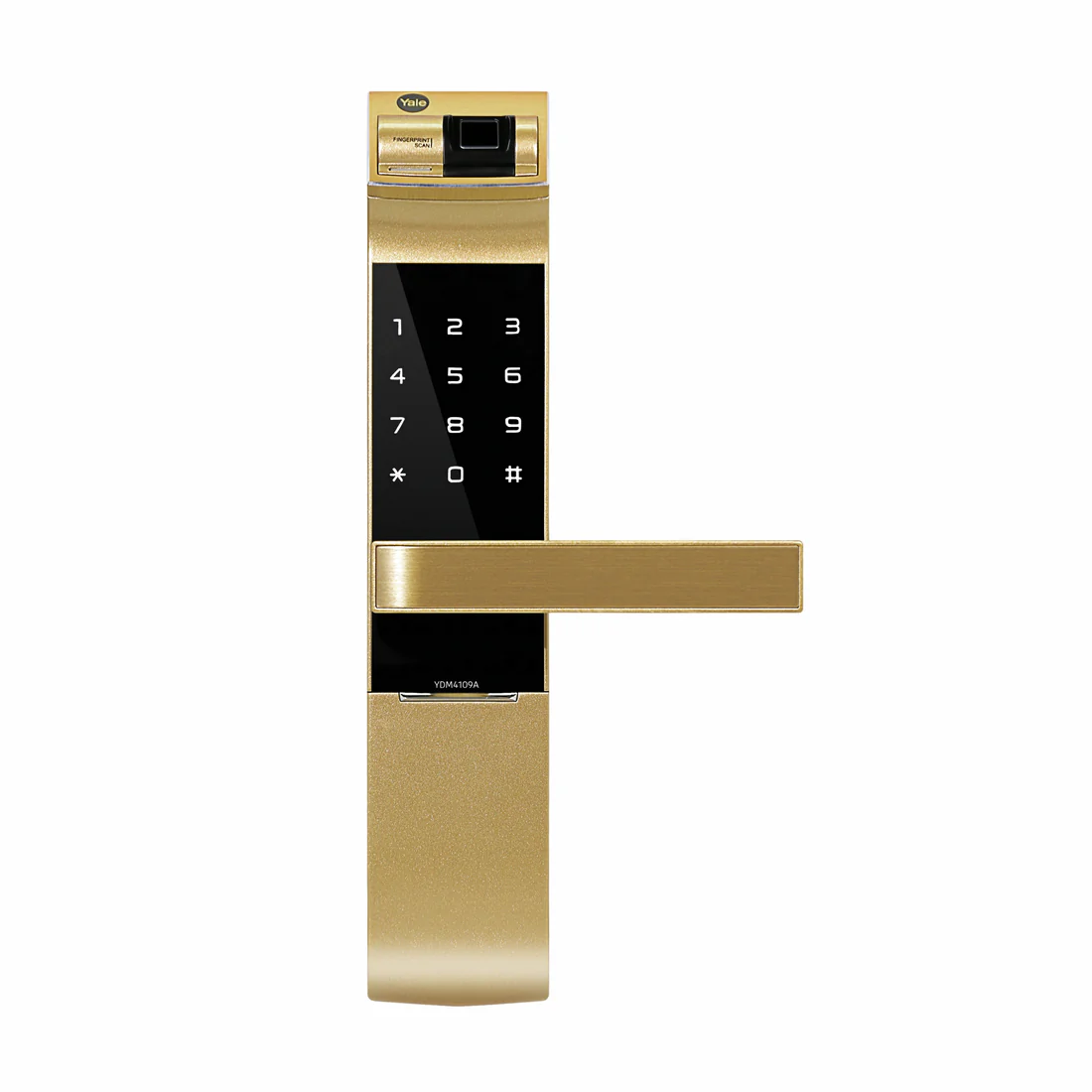
  • YDM4109A: ₹57,699–₹60,399 depending on finish
  • YDM4109A RL: ₹59,999
  • Kyra Pro: ₹62,999
  • YDM7116A-YH: ₹79,999
  • YMI70A-YH: ₹89,299

These are official listed MRPs and can differ from promotional or dealer selling prices.

For example, Yale India’s online store was showing the Kyra Pro Gold around ₹32,999 and the Black version around ₹33,867 when checked in September 2026, against a higher listed MRP. Prices and promotions can change.

Buying Tip

Instead of searching only:

“cheapest smart lock price Bangalore”

ask:

“What is the right smart lock for my door and what is the complete installed cost?”

That is a much safer buying decision.

Important Features to Look for in a Smart Door Lock

1. Fingerprint Access

A fingerprint door lock in Bangalore is one of the easiest upgrades for a family home.

Place your registered finger on the scanner and unlock the door without searching for keys.

It works particularly well for:

  • Families
  • Children
  • Senior citizens
  • Busy professionals
  • Villas
  • Apartments

Best for:

People who want fast everyday access.

2. PIN Code Access

PIN access is useful when you do not want everyone to register a fingerprint.

Depending on the lock, you may be able to give different users or visitors codes.

Useful for:

  • Family members
  • Guests
  • Housekeeping
  • Temporary visitors
  • Rental properties

Some smart locks also include fake/scramble PIN functions designed to make it harder for another person to identify your actual PIN by watching you enter it.

3. RFID Card Access

RFID cards or tags can be convenient for:

  • Senior citizens
  • Children
  • Domestic staff
  • Office employees
  • People uncomfortable using apps

Premium locks may combine:

Fingerprint + PIN + RFID + mechanical key + app access.

For example, Yale Kyra Pro supports fingerprint, PIN and RFID credentials, with Yale listing capacity for up to 100 users in each category.

4. Mechanical Key Override

Smart does not mean mechanical backup should disappear.

A mechanical emergency key provides another way to enter if required.

When comparing a digital lock for your main door, check whether your chosen model provides a mechanical override and understand where the key cylinder is located.

5. Automatic Locking

This is one of the most useful smart-lock features.

Instead of wondering:

“Did I remember to lock the door?”

the system can automatically secure it after closing, depending on the model and settings.

For example, Yale’s YDM4109A provides automatic locking and DoorSense-related functionality depending on configuration.

Best Digital Door Lock in Bangalore

Fingerprint Door Lock Bangalore: Is It Worth It?

For many homes, yes.

A fingerprint smart lock for the main door offers a strong balance between security and convenience.

You don’t need:

  • A key
  • Your phone
  • An RFID card

Your finger becomes the credential.

It works particularly well for Bangalore:

  • Apartment owners
  • Villa owners
  • Working couples
  • Families with children
  • Senior citizens
  • Homeowners who frequently forget keys

However, fingerprint access should not be the only feature you consider.

Also check:

  • Backup PIN
  • Mechanical key
  • Emergency power
  • Battery warning
  • Lockout functions
  • After-sales support

Biometric Door Lock Bangalore: Fingerprint vs Face Recognition

A biometric door lock in Bangalore may use fingerprint or facial recognition depending on the model.

Fingerprint Locks

Best for:

  • Most apartments
  • Villas
  • Family homes
  • Moderate-to-premium budgets

Face-Recognition Locks

Best for:

  • Premium villas
  • Luxury residences
  • Users wanting touch-free entry
  • Technology-focused homes

Face-recognition systems generally sit toward the premium end of the market.

For most households, a well-designed fingerprint + PIN + mechanical backup lock is already highly convenient.

WiFi Door Lock Bangalore: Do You Really Need WiFi?

Not everybody does.

If you simply want fingerprint and PIN entry, you may not need full remote connectivity.

But a WiFi door lock in Bangalore becomes valuable if you want to:

  • Manage access remotely
  • Check lock activity
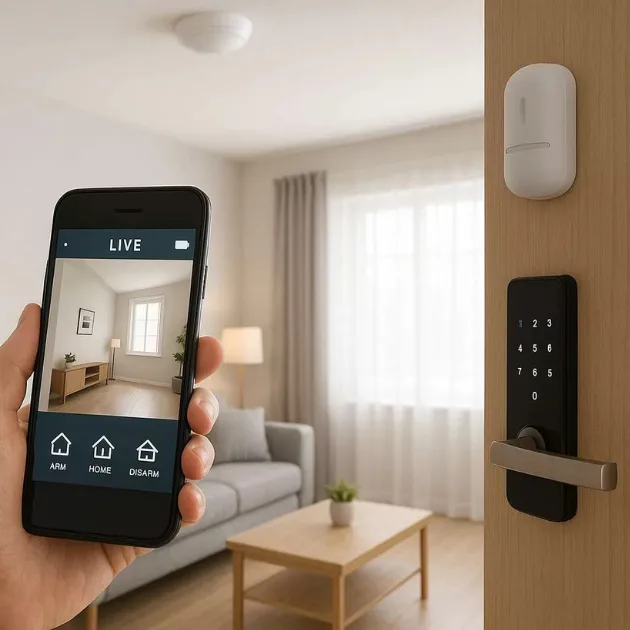
  • Receive notifications
  • Grant access while away
  • Integrate the lock into a wider smart-home system

Some Yale locks support remote functions through the Yale Home ecosystem, although the necessary Wi-Fi bridge or Bluetooth module depends on the specific model.

Pro Tip

Ask whether the required WiFi bridge or Bluetooth module is included with the lock or needs to be purchased separately.

This avoids unexpected costs after installation.

Smart Door Lock With Camera: Who Should Consider One?

A smart door lock with camera combines access control with visual verification.

Depending on the product, camera-enabled smart locks can be useful when you want to identify who is at the entrance before granting access.

They are particularly attractive for:

  • Villas
  • Independent houses
  • Premium apartments
  • Elderly parents living alone
  • Families receiving frequent deliveries
  • Homes without a separate video door phone

Before buying one, compare:

  • Camera resolution
  • Viewing angle
  • Night visibility
  • App support
  • Storage options
  • Video-call functions
  • Privacy controls
  • Warranty and service

Do not choose a camera lock only because the camera specification sounds impressive. The quality of the lock mechanism and installation remains equally important.

Best Smart Lock in Bangalore: Features You Actually Need

The best specification sheet is not necessarily the best lock for your home.

Prioritize features in this order:

Essential

  • Reliable locking mechanism
  • Correct door compatibility
  • Fingerprint or PIN
  • Mechanical override
  • Emergency power
  • Low-battery warning
  • Auto-lock
  • Professional installation
  • Reliable service support

Useful

  • RFID card
  • App control
  • Temporary access
  • Activity history
  • Bluetooth

Premium

  • WiFi remote access
  • Face recognition
  • Camera
  • Video calling
  • Smart-home integration

Buy according to your requirement—not according to the longest feature list.

Yale Digital Lock Bangalore: Popular Options to Consider

If you are specifically considering a Yale digital lock in Bangalore, several product families serve different requirements.

Yale Kyra Pro

Suitable for customers wanting a premium push-pull design.

Key features include:

  • Fingerprint
  • PIN
  • RFID
  • Mechanical key
  • Automatic locking
  • Optional Yale Home connectivity
  • Black and Champagne Gold finish options
  • Door thickness compatibility around 40–100 mm

Yale states that Kyra Pro can register up to 100 PINs, 100 RFID credentials and 100 fingerprints.

Good choice for:

Premium apartments and villas where both design and access flexibility matter.

Yale Luna Pro

The Luna Pro is positioned as a premium automated smart lock with an off-centred push-pull design.

Access options include:

  • Fingerprint
  • PIN
  • Card
  • Yale Home app support

Yale highlights its fully automated locking/unlocking mechanism and family-oriented push-pull design.

Good choice for:

Premium homes looking for convenience, aesthetics and connected access.

Yale YDM4109A

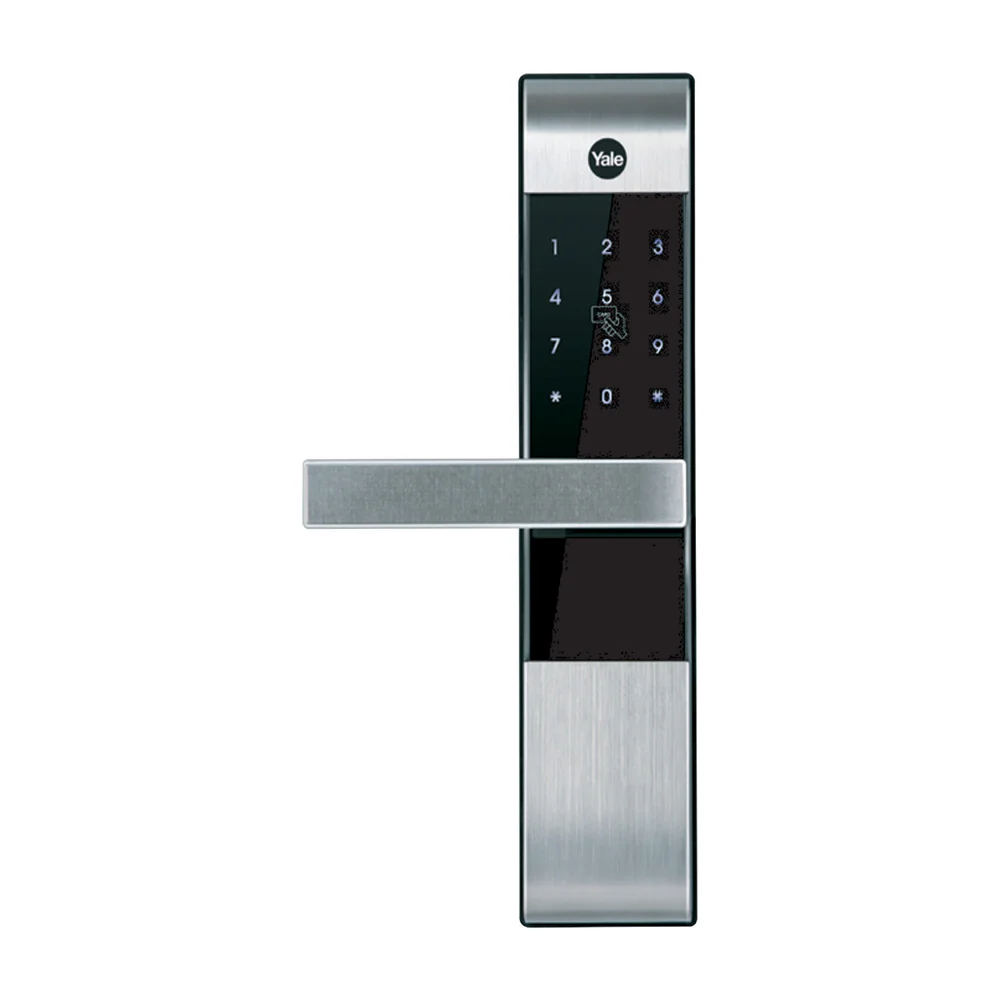
A strong option for customers who prefer a more conventional handle-style digital lock.

Features include:

  • Fingerprint
  • PIN
  • Mechanical key
  • Auto-lock
  • Yale Home compatibility with required accessories
  • WiFi/Bluetooth capability depending on configuration

Good choice for:

Homeowners wanting smart access without moving to a large push-pull lock.

Yale YDM7116A

A premium mortise lock available in multiple finishes.

It supports:

  • Fingerprint
  • PIN
  • RFID
  • Mechanical key
  • Smartphone connectivity
  • Remote-control options
  • WiFi/Bluetooth ecosystem support

Good choice for:

Premium main doors where finish options and multiple access methods are important.

Yale YDM4115A

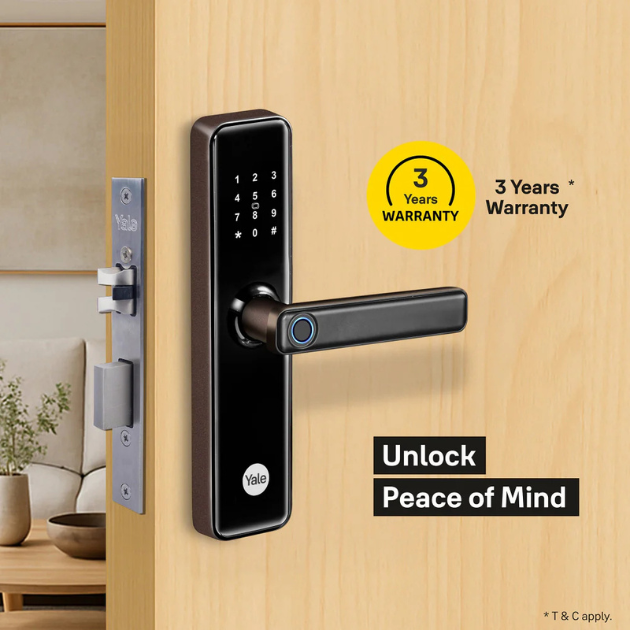
A practical fingerprint-and-PIN model with mechanical backup.

Yale currently highlights:

  • Fingerprint verification
  • PIN access
  • Mechanical keys
  • Auto-lock
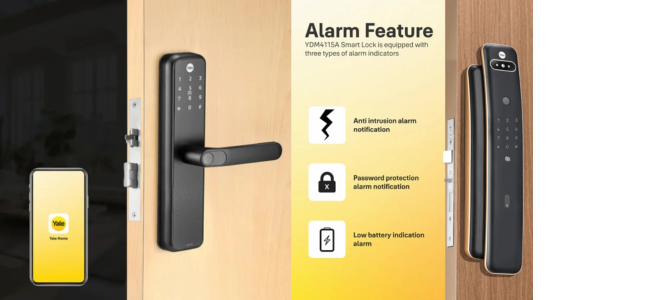
  • Low-battery alert
  • Emergency power
  • Optional remote/app functionality

Good choice for:

Customers who want essential smart-lock functions without moving to the highest premium category.

Which Digital Lock Is Best for an Apartment in Bangalore?

For most apartments, prioritize:

  • Fingerprint
  • PIN
  • Mechanical backup
  • Auto-locking
  • Compact design
  • Door compatibility
  • Service support

An app is useful but not always essential.

Example

A family of four living in a Bangalore apartment may mainly need:

Fingerprint for parents + fingerprint/PIN for children + PIN for emergency use + mechanical backup.

They may gain little value from paying significantly more simply for a camera if their apartment already has controlled entry and a video door phone.

Which Digital Lock Is Best for a Villa in Bangalore?

Villa owners may benefit more from connected features because the main door often represents the first private access point to the property.

Consider:

  • Fingerprint
  • PIN
  • RFID
  • Mobile app
  • Remote access
  • Entry notifications
  • Premium push-pull design
  • Camera or video-door integration
  • Smart-home compatibility

A WiFi smart lock for the main door can be especially useful when you travel frequently or need to grant temporary access remotely.

Digital Lock for Wooden Main Doors

Wooden main doors are commonly suitable for digital mortise locks, provided they have enough thickness and clear space around the lock.

Before installation, check:

  1. Door thickness
  2. Existing mortise
  3. Door edge condition
  4. Handle position
  5. Decorative grooves
  6. Door-frame alignment
  7. Lock body dimensions

Never assume that every wooden door can take every digital lock.

Can Digital Locks Be Installed on Metal Doors?

Sometimes, yes.

But the installation is more specialised.

Metal doors may require:

  • Accurate cutting
  • Special tools
  • Door construction assessment
  • Suitable reinforcement
  • Model compatibility verification

A wrong cut on a metal door is much harder to correct than a minor modification on many wooden doors.

Send door photos and measurements to your installer before purchasing.

Studio79’s installation gallery, for example, includes installations involving wooden, metal and double-door applications, illustrating why door type needs to be considered before lock selection.

Digital Door Lock Installation Bangalore: What Happens?

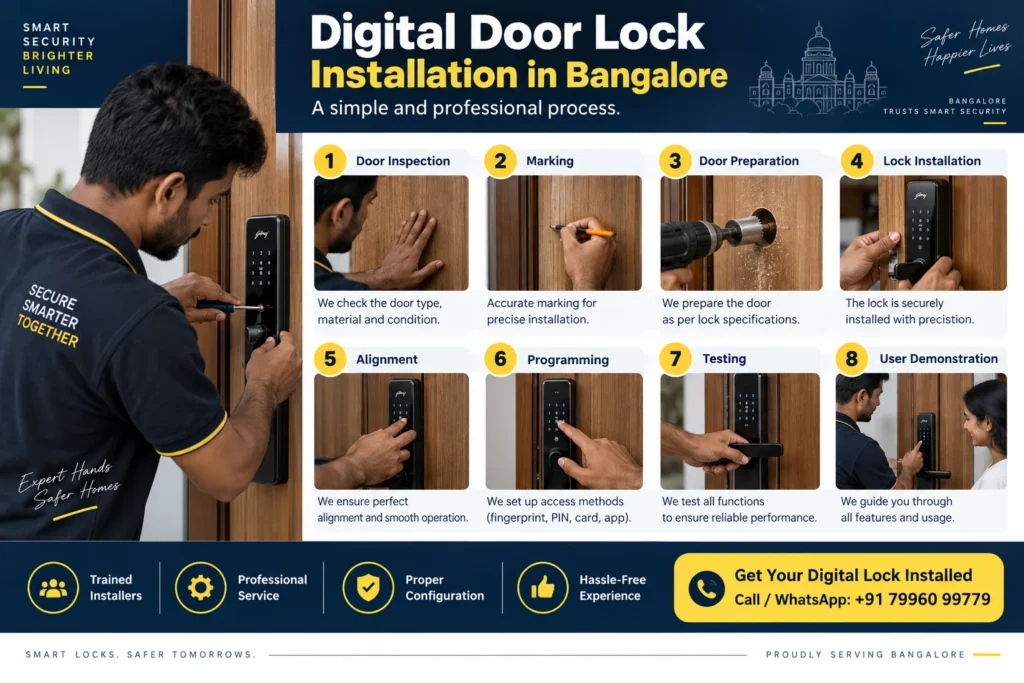
Professional digital door lock installation in Bangalore typically follows these stages.

Step 1: Door Inspection

The installer checks:

  • Thickness
  • Material
  • Opening direction
  • Existing lock
  • Frame
  • Lock positioning

Step 2: Marking

A template is used to identify the mortise and spindle positions.

Step 3: Door Preparation

Required openings are carefully prepared for:

  • Mortise
  • Front body
  • Rear body
  • Cable
  • Spindle
  • Fixing points

Step 4: Lock Installation

The front panel, back panel, mortise and related parts are installed.

Step 5: Alignment

The lock and strike plate must align correctly.

Step 6: Programming

Users may then register:

  • Administrator PIN
  • Fingerprints
  • RFID cards
  • Mobile application
  • WiFi bridge

Step 7: Testing

Test:

  • Locking
  • Unlocking
  • Fingerprint
  • PIN
  • Mechanical key
  • Auto-lock
  • Door alignment
  • Emergency functions

Step 8: User Demonstration

The customer should understand how to:

  • Add/delete users
  • Change the PIN
  • Replace batteries
  • Use emergency power
  • Use the mechanical key
  • Operate the app

How Long Does Digital Lock Installation Take?

The on-site installation duration depends on the door and lock.

However, the service appointment itself may need to be scheduled in advance.

Yale’s current India installation policy states that installations in serviced locations are typically scheduled within 2–3 business days, subject to its service conditions and availability.

Always confirm your exact Bangalore location and installation availability before ordering.

Best Digital Door Lock in Bangalore

How Much Does Digital Lock Installation Cost in Bangalore?

Installation pricing depends on:

  • Brand
  • Lock type
  • Door type
  • Existing cutout
  • New installation vs replacement
  • Wood vs metal
  • Additional modifications
  • Urgent service requirement

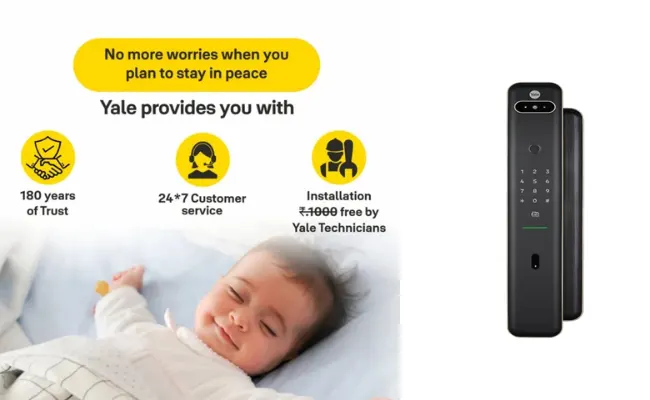
For Yale products, the company’s current policy lists installation/demo at ₹1,000 for applicable cases, while indicating that this charge is being waived under certain promotional conditions for the first visit/selected products. Terms can change, so verify before buying.

Never assume installation is automatically free for every model or situation.

7 Steps to Choosing the Best Digital Door Lock in Bangalore

1. Measure Your Door Thickness

Do this first.

Not after purchasing.

2. Decide Your Access Methods

Choose between:

  • Fingerprint
  • PIN
  • RFID
  • Mechanical key
  • Bluetooth
  • WiFi
  • Face recognition
  • Camera

For most homes, three or four dependable access methods are enough.

3. Decide Whether You Need Remote Access

Ask:

“Will I genuinely unlock or monitor my main door when I am outside?”

If yes, consider connected models.

If no, you may get better value from a strong fingerprint/PIN model.

4. Choose a Reliable Brand

Digital locks combine:

  • Electronics
  • Mechanics
  • Software
  • Door hardware

After-sales support matters much more than it does with a simple traditional lock.

5. Confirm Door Compatibility

Never rely only on an e-commerce product image.

Send:

  • Door photographs
  • Thickness
  • Existing lock details

to an experienced digital lock dealer in Bangalore.

6. Confirm Installation Before Payment

Ask:

  • Who installs it?
  • Is installation included?
  • What happens if my door needs modification?
  • Is my PIN code serviceable?
  • How quickly can installation be booked?
  • Who handles service after installation?

7. Compare Total Cost, Not Just Product Price

Compare:

Product + smart accessories + installation + modification + support

A slightly cheaper lock can become more expensive if connectivity modules and installation are separate.

Common Mistakes When Buying a Smart Lock

Mistake 1: Buying Before Checking Door Thickness

This is one of the most avoidable problems.

Solution: Measure first.

Mistake 2: Choosing Only by Price

The lowest-priced lock may not provide the features, durability or service support you require.

Solution: Compare value and compatibility.

Mistake 3: Assuming WiFi Is Included

Some locks require additional modules or bridges for full smart functionality.

Solution: Ask exactly what comes inside the package.

Mistake 4: Ignoring After-Sales Service

A digital lock is an electronic-mechanical product.

Buying from an unknown seller simply because the price is ₹1,000 lower may not be worth the inconvenience later.

Mistake 5: Using an Inexperienced Carpenter for Installation

Digital mortise locks require precise drilling and alignment.

One incorrect cut can permanently damage an expensive main door.

Solution: Use a trained digital-lock installer.

Mistake 6: Choosing Too Many Features

You may never use half of them.

Solution: Start with your daily requirements, then select the model.

Mistake 7: Not Testing Emergency Access

After installation, learn:

  • Emergency power procedure
  • Mechanical-key access
  • Battery replacement
  • Administrator reset procedure

Do not wait for an emergency to learn them.

Digital Lock Dealer Bangalore: What Should You Look For?

A professional digital lock dealer in Bangalore should do more than sell a box.

Look for a supplier who can help with:

Pre-Sales

  • Door compatibility
  • Product comparison
  • Door thickness
  • Lock dimensions
  • Feature selection

Installation

  • Proper mortising
  • Alignment
  • Configuration
  • User registration
  • Demonstration

After-Sales

  • Product support
  • Warranty guidance
  • Troubleshooting
  • Service coordination

Studio79 Hardware in Bengaluru lists Yale smart locks and other security solutions and also publishes an installation gallery covering multiple Yale digital-lock models.

Digital Lock Installation Near Me: What Should Bangalore Customers Search For?

People commonly search Google for:

  • digital lock installation near me
  • smart lock dealer near me
  • fingerprint lock installation Bangalore
  • Yale digital lock Bangalore
  • smart lock installation Bangalore
  • digital lock dealer Bangalore

But proximity should not be your only selection factor.

Choose someone who understands:

the lock + the door + the installation.

A nearby inexperienced installer can cause more damage than an experienced technician travelling a little farther.

Best Digital Lock for Bangalore Apartments vs Villas

RequirementApartmentVilla
Fingerprint✓✓
PIN✓✓
Mechanical key✓✓
RFIDOptionalUseful
BluetoothOptionalUseful
WiFiOptionalRecommended for many users
Remote accessOptionalUseful
CameraOptionalUseful
Push-pull designPremium optionPremium option
Professional installationEssentialEssential

Which Smart Lock Should You Buy in 2026?

A simple way to shortlist is:

Want Basic Smart Access?

Choose:

PIN + RFID or fingerprint + PIN

Want the Best Balance?

Choose:

Fingerprint + PIN + mechanical key + auto-lock

This combination suits many Bangalore apartments.

Want Premium Access?

Choose:

Fingerprint + PIN + RFID + app

Want Full Connected Access?

Choose:

Fingerprint + PIN + RFID + WiFi/app + remote monitoring

Want Luxury Smart Entry?

Consider:

Push-pull + face recognition or camera + connected features

provided the door is compatible.

Pro Tips Before Buying a Digital Door Lock

Pro Tip 1

Take a photograph of the door edge with a measuring tape showing thickness.

Pro Tip 2

Do not select the lock colour before deciding compatibility.

The Black or Champagne Gold finish looks important—but the lock has to fit first.


Pro Tip 3

If you are renovating, choose the digital lock before the carpenter completes the door.

This allows correct lock positioning and reduces unnecessary patchwork later.

Pro Tip 4

For villas and premium houses, coordinate the lock with:

  • Door handle finish
  • Hinges
  • Pull handles
  • Door colour
  • Smart-home system
  • Video door phone

The main entrance should look designed—not assembled part by part.

Pro Tip 5

Keep the mechanical emergency key outside the locked house in a secure location.

Keeping the emergency key inside the same locked home defeats its purpose.

FAQs About Digital Door Locks in Bangalore

1. Which is the best digital door lock in Bangalore?

The best digital door lock depends on your door thickness, material, budget and preferred access methods. For most homes, fingerprint, PIN, mechanical backup, auto-locking and professional installation are the key requirements. Premium users can add RFID, WiFi, app control, camera or face recognition.

2. What is the price of a digital door lock in Bangalore?

Digital lock prices vary from entry-level models to premium connected and biometric locks costing many tens of thousands of rupees. Yale’s official 2026 lineup, for example, includes products with listed MRPs from roughly the ₹40,000 range to above ₹80,000, while promotional selling prices can be considerably lower.

3. Is a fingerprint lock good for the main door?

Yes. A fingerprint lock is highly convenient for a main entrance when combined with suitable mechanical security, PIN access, emergency power and backup entry. Always make sure the model is compatible with your door.

4. Can a digital lock be installed on an existing door?

Often yes, but the installer must first check the existing mortise, door thickness, available space and previous cutouts. Some doors require modifications, while others may not be suitable for a particular lock.

5. Can I install a smart lock on a metal door?

Certain smart locks can be installed on compatible metal doors, but specialised cutting and installation may be required. Share door photographs and construction details with your dealer before buying.

6. Do digital door locks work without electricity?

Most residential digital locks are battery operated rather than connected directly to household mains electricity. Features vary by model. Look for low-battery warnings, emergency power options and mechanical-key backup.

7. Does a WiFi smart lock work if the internet goes down?

Local access methods such as fingerprint, PIN or mechanical key generally do not depend on your home internet connection. Internet-dependent remote functions may be unavailable until connectivity is restored. Exact behaviour depends on the model.

8. Is WiFi necessary for a digital lock?

No. WiFi is mainly useful for remote monitoring and control. If you only want fingerprint and PIN access, a non-WiFi model may be enough.

9. How long does digital-lock installation take in Bangalore?

Actual on-site installation depends on the door and model. For Yale service scheduling, the company currently states that serviced locations typically receive installation within 2–3 business days after the appointment process.

10. Is professional installation important?

Yes. Mortise dimensions, spindle positioning, cable routing and strike alignment must be accurate. Incorrect installation can affect both the door and lock.

11. Which digital lock is best for a Bangalore apartment?

For most apartments, a fingerprint + PIN + mechanical backup lock with auto-lock is an excellent starting point. Add RFID or app connectivity if your household genuinely needs them.

12. Which digital lock is best for a villa?

Villa owners may benefit from premium push-pull locks with fingerprint, PIN, RFID and app/WiFi access. Camera and face-recognition options can also be considered depending on entrance security requirements.

Final Verdict: Best Digital Door Lock in Bangalore 2026

The best digital door lock in Bangalore is not automatically the most expensive lock or the model with the longest feature list.

It is the lock that correctly matches:

Your Door + Your Security Requirements + Your Lifestyle + Your Budget.

For many Bangalore families, fingerprint + PIN + mechanical backup provides an excellent combination of convenience and everyday security.

For premium apartments and villas, adding RFID, mobile-app access, WiFi connectivity, remote monitoring or a push-pull design can make the experience even better.

But make one decision before everything else:

Check your door first.

A professional recommendation before purchase can prevent compatibility problems, unnecessary modifications and the cost of buying the wrong model.

Need Help Choosing the Right Digital Lock?

Not sure whether your door can support a Yale Kyra Pro, Luna Pro, YDM4109A, YDM7116A or another smart lock?

📸 WhatsApp a Photo of Your Door

Send:

  • Front photo
  • Back photo
  • Door-edge photo
  • Door thickness
  • Existing lock photo

and get a suitable digital-lock recommendation based on your actual door.

🔐 Get a Digital Lock Recommendation

Contact Lock Macha
Phone: +91 9739339797
Location: Bangalore
Website: lockmacha.com
DIGITAL LOCK BLOG

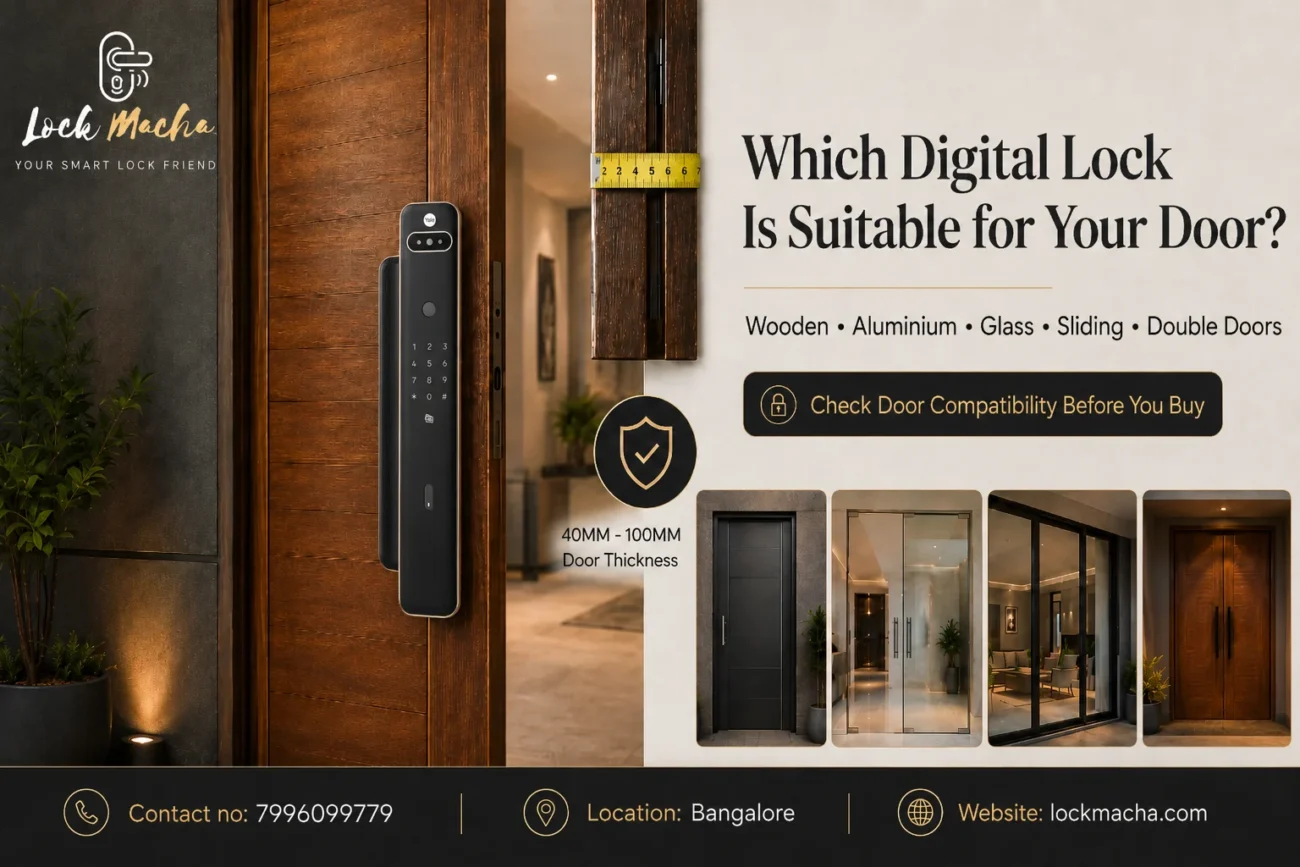
Which Digital Lock Is Suitable for Your Door? Complete Door Compatibility Guide

Choosing a digital lock for your main door is not only about selecting fingerprint access, PIN entry, RFID cards, mobile connectivity or a premium-looking design.

DIGITAL LOCK BLOG

The lock must also physically fit your door.

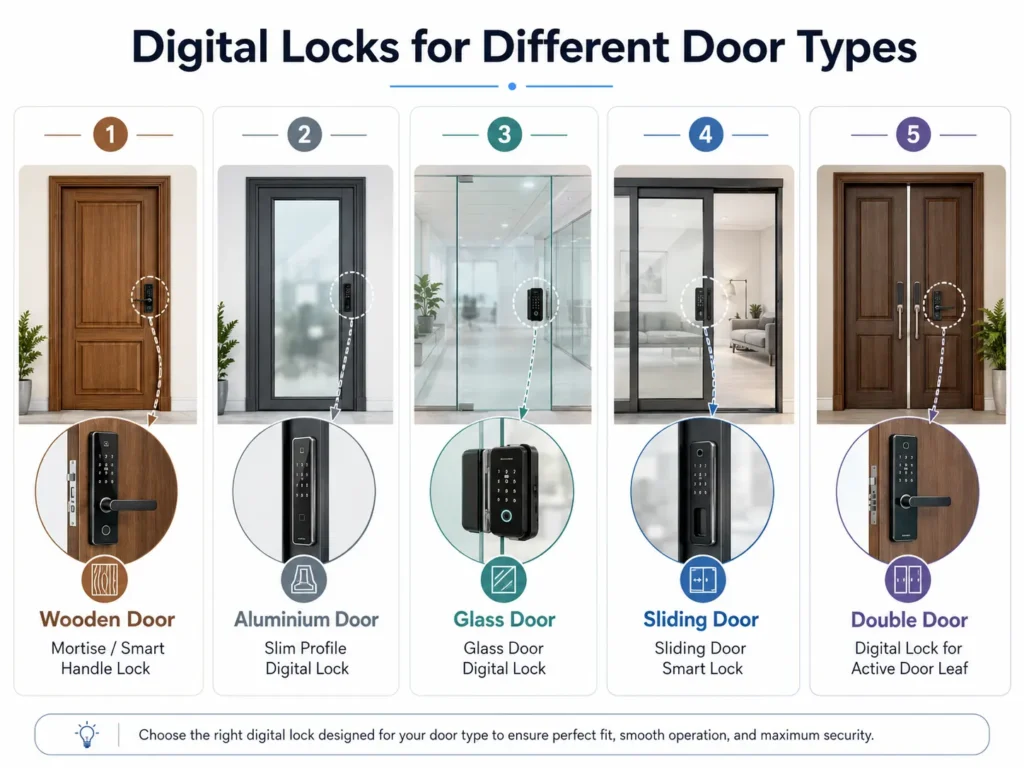
A digital lock that works perfectly on a solid wooden door may not fit a narrow aluminium profile. Similarly, a standard mortise lock designed for a swing door cannot usually be installed on a frameless glass door or sliding door.

Before purchasing a digital lock, you should check:

  • Door material
  • Door thickness
  • Door opening direction
  • Available space on the door
  • Backset requirement
  • Door-frame clearance
  • Existing lock cut-outs
  • Single- or double-door configuration

Checking these details before purchasing can prevent unnecessary door cutting, installation delays, extra modification costs, damage to the door finish and lock replacement problems.

This complete door compatibility guide will help you understand which type of digital lock may be suitable for your door and when a professional inspection is required.

How Do I Know Whether a Digital Lock Will Fit My Door?

A digital lock will fit your door only when its installation requirements match the door material, thickness, opening direction, backset, frame clearance and existing cut-outs. You should also check whether the door is wooden, aluminium, glass, steel, UPVC, sliding, single or double before selecting a lock.

Digital Lock Compatibility Checklist

Before buying a digital lock for your main door, check the following details.

1. Door Material

Identify whether the door is made of:

  • Solid wood
  • Hollow wood
  • Aluminium
  • Glass
  • Steel or metal
  • UPVC
  • Wood with metal cladding
  • Another composite material

Different door materials require different lock bodies, fittings and installation methods.

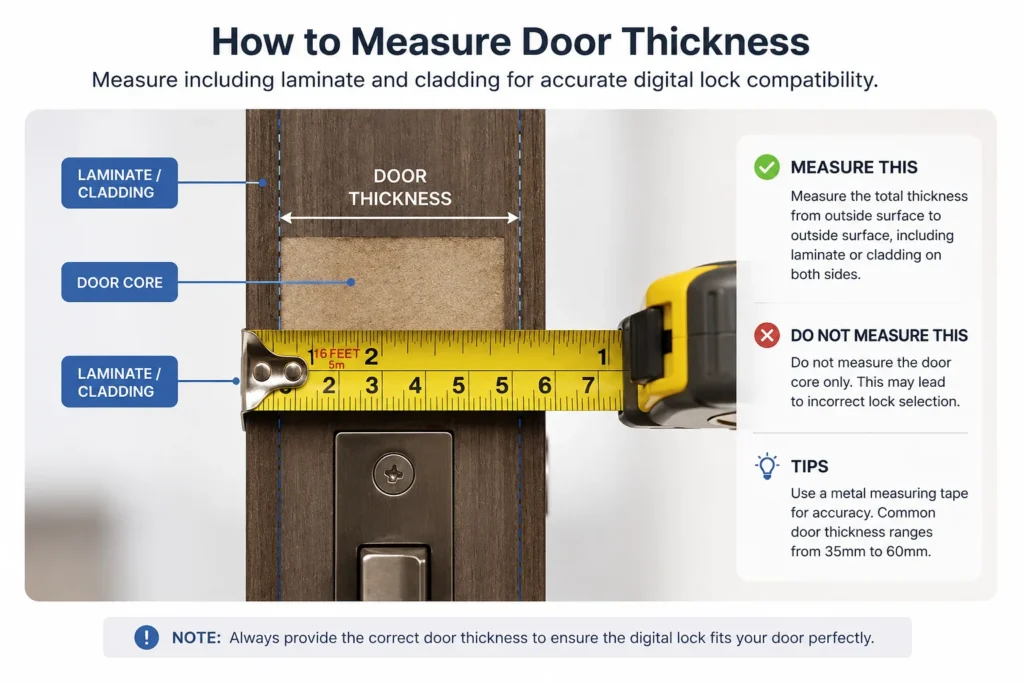
2. Door Thickness

Every digital lock supports a particular door-thickness range. Measure the complete thickness of the door, including laminate, veneer, decorative panels or metal cladding.

3. Available Door Width

There must be sufficient flat space for the front and rear lock panels. Decorative mouldings, grooves or glass panels can reduce the usable installation area.

4. Door-Frame Clearance

The lock bolt must align correctly with the strike plate on the frame. A narrow, uneven or recessed frame may require modification.

5. Backset

The backset is the distance between the edge of the door and the centre of the lock handle, spindle or key cylinder. It determines where the lock body will sit inside the door.

6. Existing Lock Dimensions

Measure the length and width of the existing lock body, handle plate and visible cut-outs. A replacement digital lock should ideally cover the old holes.

7. Left- or Right-Opening Direction

Some locks can be adjusted for either direction, while other models must be configured according to the door handing.

8. Inward- or Outward-Opening Door

The opening direction can affect the lock handle, push-pull operation and strike plate installation.

9. Single or Double Door

A single door locks against a fixed frame. A double door may lock against the second door panel, requiring additional alignment and reinforcement.

10. Main Door or Internal Door

Main doors normally need stronger mortise or deadbolt systems, while internal doors may use simpler rim locks or lever-handle locks.

11. Electrical Requirements

Most residential digital locks are battery-operated. However, some access-control systems, magnetic locks and video-door solutions may require electrical wiring.

12. Wi-Fi or Mobile Connectivity

Smart locks with remote unlocking, app control or video features may need stable Wi-Fi, a compatible mobile application or an additional gateway.

Which Digital Lock Is Suitable for Different Door Materials?

Digital Lock for a Wooden Door

Wooden doors generally offer the widest range of digital lock compatibility.

Solid wooden main doors can commonly support:

  • Mortise digital locks
  • Push-pull digital locks
  • Lever-handle digital locks
  • Deadbolt digital locks
  • Rim digital locks

However, the door’s thickness and internal construction must still be checked.

A hollow-core wooden door may not provide sufficient support for a heavy mortise or push-pull lock. Decorative grooves, mouldings or uneven surfaces can also prevent the lock panel from sitting flat.
When replacing an existing mechanical lock, the old mortise cavity and handle holes must be compared with the new digital lock’s installation template.

A digital lock for a wooden door is commonly suitable when:

  • The door has sufficient thickness
  • The internal wood is strong
  • There is enough flat installation space
  • The frame is aligned
  • The existing cut-outs can be covered or modified safely

Smart Lock for an Aluminium Door
Aluminium doors usually have narrower profiles than wooden doors. Therefore, a standard digital mortise lock may not fit.

A slim-profile smart lock designed for aluminium doors may be required.

One of the most important measurements is the stile width. The stile is the vertical aluminium section at the side of the door where the lock is installed. If this section is too narrow, the lock body or front panel may overlap the glass or extend beyond the profile.

Before choosing a smart lock for an aluminium door, check:

  • Width of the aluminium stile
  • Depth of the aluminium profile
  • Internal channels or reinforcement
  • Glass position
  • Frame clearance
  • Existing lock mechanism
  • Space for the strike plate

Drilling and cutting aluminium should be carried out carefully. Incorrect cutting can weaken the profile or damage the finish.

A site inspection is strongly recommended for aluminium doors, especially when the door has a narrow profile or glass panel.

Glass Door Digital Lock

Glass doors require digital locks specifically designed for glass applications.

A standard mortise lock should not be installed directly into a glass panel. Frameless glass doors commonly require clamp-type digital locks that fit around the glass without conventional mortising.

Before selecting a glass door digital lock, check:

  • Glass thickness
  • Single- or double-door configuration
  • Frameless or aluminium-framed design
  • Position of patch fittings
  • Floor spring location
  • Existing glass handle
  • Clearance between the glass and frame
  • Locking point on the opposite panel or wall

For a double glass door, the locking arrangement may differ because one glass panel may need to lock against the other.

Professional inspection is strongly recommended before confirming a digital lock for glass doors in India.

Digital Lock for a Sliding Door

Sliding doors need a different locking mechanism from swing doors.

A standard swing-door mortise lock usually uses a latch or deadbolt that enters the frame from the side. A sliding door may require a hook bolt or a lock specifically designed to secure the moving panel to the frame.

Before selecting a digital lock for a sliding door, check:

  • Wooden or aluminium construction
  • Sliding direction
  • Available profile width
  • Meeting point between the door and frame
  • Space for a hook-bolt mechanism
  • Door overlap
  • Pocket-door clearance
  • Existing handle and cut-outs

Wooden sliding doors and aluminium sliding doors may require different lock types. Pocket sliding doors can be especially difficult because the door moves inside the wall, leaving limited space for a lock body or handle.

Digital Lock for a Metal or Steel Door

Digital locks can be installed on many metal and steel doors, but the internal structure must be inspected.

Steel doors may contain:

  • Internal reinforcement
  • Welded lock boxes
  • Hollow sections
  • Insulation
  • Fire-resistant material
  • Pre-cut lock openings

An existing welded lock box may limit the size of the new mortise. Cutting and drilling should be done using suitable tools to prevent damage to the door surface.

The lock bolt must also align with the metal frame and strike plate.

Fire-rated doors should not be modified without checking the door manufacturer’s instructions and required approvals. Unauthorised modification can affect the door’s certification and performance.

Digital Lock for a UPVC Door

UPVC doors normally have narrow profiles and internal steel reinforcement. Many also use multipoint locking mechanisms.

Replacing a multipoint system with a standard digital lock can be complicated. A slim smart lock designed for UPVC or narrow-profile doors may be required.

Before confirming the lock, inspect:

  • UPVC profile width
  • Internal metal reinforcement
  • Existing multipoint mechanism
  • Handle position
  • Frame clearance
  • Locking points
  • Door alignment

A site inspection is recommended before choosing a digital lock for a UPVC door.

Why Door Thickness Matters for a Digital Lock

Every digital lock supports a specific door-thickness range.

The lock normally has an external panel and an internal panel connected through the door using screws, a spindle and electronic cables.

If the door is too thin:

  • The lock may not tighten securely
  • The panels may move during operation
  • Additional spacer plates may be required
  • Heavy lock panels may not receive sufficient support

If the door is too thick:

  • The spindle may not reach
  • Connecting screws may be too short
  • Electronic cables may not connect properly
  • The lock body may require extended accessories

How to Measure Door Thickness

digital lock for main door

Open the door and place a measuring tape across the side edge.

Measure from the complete outer surface on one side to the complete outer surface on the other side.

Do not measure only the visible wooden core.

Include:

  • Laminate
  • Veneer
  • Metal sheet
  • Decorative cladding
  • Additional panels
  • Surface coverings

Send the measurement in millimetres for better accuracy.

What Is Backset in a Digital Lock?

Backset is the distance from the edge of the door to the centre of the handle spindle, key cylinder or lock operating point.

It determines how deeply the lock body sits inside the door.

Backset matters because it affects:

  • Handle position
  • Clearance from the door edge
  • Compatibility with existing holes
  • Position of the mortise inside the door
  • Alignment with the frame
  • Strike-plate position

How to Measure Backset

Close the door and locate the centre of the existing handle spindle or key cylinder.

Measure horizontally from the edge of the door to that centre point.

When replacing an existing lock, also measure the mortise body and share clear side-edge photos.

Left-Opening and Right-Opening Doors

Door handing refers to the side on which the hinges are positioned and the direction in which the door opens.

Stand on the outside or entry side of the door.

  • Hinges on the left generally indicate a left-hinged door.
  • Hinges on the right generally indicate a right-hinged door.

You should also mention whether the door opens inward or outward.

For example, a main door with hinges on the right that moves inside the home is a right-hinged, inward-opening door.

Some digital locks are reversible. Others require the handle, latch or push-pull direction to be configured during installation. Sharing a short video of the door opening and closing can help avoid confusion.

Digital Lock for a Single Door vs Double Door

Digital Lock for a Single Door

A digital lock for a single door is generally easier to plan because the lock bolt enters a fixed frame.

Compatibility still depends on:

  • Door thickness
  • Door material
  • Backset
  • Frame clearance
  • Existing cut-outs
  • Opening direction

Digital Lock for a Double Door

A double door has two door panels or leaves. One is normally the active door, while the second remains fixed using flush bolts or another securing system.

The digital lock may need to lock into the second door panel instead of a permanent frame.

Important considerations include:

  • Movement between both door panels
  • Strength of the inactive panel
  • Strike-plate positioning
  • Flush-bolt condition
  • Door alignment
  • Gap between the panels
  • Reinforcement requirements

If the second panel moves, the lock bolt may not align correctly. A site inspection is recommended before selecting a digital lock for a double door.

Can the Existing Lock Cut-Out Be Reused?

The existing lock cut-out plays an important role when replacing a mechanical or older digital lock.

Check:

  • Mortise cavity size
  • Handle holes
  • Key-cylinder holes
  • Screw holes
  • Existing decorative plate
  • Old lock footprint
  • Previous door repairs
  • Damaged or enlarged openings

The new digital lock should ideally cover the old holes. When it does not, the door may require:

  • A cover plate
  • A customised escutcheon
  • Wood filling
  • Polishing or laminate repair
  • Metal fabrication
  • Additional reinforcement

In extreme cases, replacing or professionally rebuilding part of the door may be more practical than making multiple modifications.

Do not remove the existing lock before checking the dimensions of the replacement digital lock.

Door Frame and Strike-Plate Compatibility

A digital lock is not compatible only because its panels fit on the door. Its latch or deadbolt must also align correctly with the strike plate on the frame.

Check:

  • Frame material
  • Frame depth
  • Gap between the door and frame
  • Existing strike plate
  • Double-rebate design
  • Metal frame construction
  • Weather seals
  • Door stoppers
  • Door sagging
  • Uneven closing

Even a correctly selected digital lock can malfunction when the door is misaligned.

Common symptoms include:

  • Door not locking smoothly
  • Motor struggling to operate
  • Bolt hitting the frame
  • Automatic locking failing
  • Door needing to be pushed or pulled during locking

Door alignment should be corrected before or during installation.

Digital Lock Compatibility Table

Door TypeCommon Suitable Lock TypeImportant ChecksInspection Recommended?
Solid wooden doorMortise, push-pull, lever, deadbolt or rim lockThickness, backset, cut-outs and frame alignmentRecommended for replacement locks
Hollow wooden doorLightweight rim, deadbolt or selected mortise lockInternal reinforcement and door strengthYes
Aluminium doorSlim-profile smart lockStile width, profile depth and internal channelsYes
Frameless glass doorClamp-type glass door digital lockGlass thickness, patch fittings and locking pointStrongly recommended
Framed glass doorSlim lock depending on the frame profileFrame width, glass position and clearanceYes
Wooden sliding doorHook-bolt or sliding-door-compatible lockDoor overlap, pocket clearance and frameYes
Aluminium sliding doorSlim hook-bolt digital lockAluminium profile, frame and meeting pointStrongly recommended
Steel doorSelected mortise, lever or deadbolt lockReinforcement, welded box and frame alignmentYes
UPVC doorSlim-profile or UPVC-compatible smart lockMultipoint system and internal reinforcementStrongly recommended
Single doorMortise, deadbolt, rim or push-pull lockFrame, thickness and opening directionDepends on the door
Double doorSelected mortise or suitable digital lock arrangementInactive leaf, alignment and strike supportStrongly recommended

This table provides general guidance. Final compatibility depends on the specific digital lock model and actual door measurements.

digital lock for main door

Send These Three Door Photos for a Compatibility Check

Before purchasing a lock, send Lock Macha these three clear photos:

1. Front Photo of the Complete Door

Take the photo from a distance so the full door, frame, hinges and existing handle are visible.

2. Side-Edge Photo

Open the door and photograph the side edge. The image should clearly show the existing mortise, latch, bolt and door thickness.

3. Close-Up of the Existing Lock and Frame

Take a close photo showing the handle, lock plate, key cylinder, door edge and strike plate.

For a more accurate compatibility check, also send:

  • Door thickness in millimetres
  • Door material
  • Inside and outside photos
  • Opening direction
  • Installation city
  • Short door-opening video
  • Existing lock brand or model, if known
  • Preferred features such as fingerprint, PIN, RFID, mobile app, camera or remote access

When Is a Site Inspection Required?

A site inspection is recommended when:

  • The door is aluminium, glass, UPVC, steel or sliding
  • The door has a narrow or unusual profile
  • It is a double door
  • The existing cut-outs are large
  • A push-pull lock is required
  • The frame is narrow, recessed or uneven
  • The door has decorative moulding
  • The door is fire-rated
  • Electrical wiring is required
  • The lock must connect to access control
  • Measurements are unclear
  • Multiple doors are involved
  • The property is under construction
  • The door is expensive or customised

A site inspection helps identify installation limitations before the door is modified.

Common Digital Lock Compatibility Mistakes

Avoid these common mistakes:

  • Buying a lock based only on appearance
  • Choosing only according to price
  • Assuming every digital lock fits every door
  • Not checking door thickness
  • Ignoring backset
  • Not checking the opening direction
  • Removing the old lock before selecting the replacement
  • Ignoring the frame and strike plate
  • Selecting a wide lock for a narrow aluminium profile
  • Installing a standard mortise lock on glass
  • Using an inexperienced installer
  • Ignoring after-sales and installation support
  • Not checking whether old holes will remain visible
  • Buying before sharing measurements and photos

How Lock Macha Helps You Select the Right Digital Lock

Lock Macha helps customers understand whether a digital lock may be suitable for their door before installation.

Our compatibility support can include:

  • Reviewing door photos
  • Checking door measurements
  • Identifying the door material
  • Understanding the opening direction
  • Checking the available installation area
  • Reviewing existing lock cut-outs
  • Suggesting suitable digital lock categories
  • Advising when a site inspection is needed
  • Coordinating professional installation support
  • Providing after-sales guidance

We provide compatibility guidance for wooden, aluminium, glass, steel, UPVC, sliding, single and double doors.

Final model selection should always be confirmed after reviewing the actual door and the installation requirements of the selected lock.

Frequently Asked Questions

1. Can a digital lock be installed on any door?

No. Digital lock compatibility depends on the door material, thickness, construction, opening direction, frame and available installation space. Wooden doors generally offer more options, while aluminium, glass, sliding and UPVC doors may need specialised locks. Door photos and measurements should be checked before purchasing.

2. What door thickness is required for a digital lock?

The required thickness varies by lock model. Many digital locks are designed for a specific thickness range and may need different screws, spindles or accessories for thicker doors. Measure the complete door, including laminate, cladding and decorative panels, before confirming the lock.

3. Which digital lock is best for a wooden main door?

The suitable digital lock for a wooden main door depends on the door thickness, strength, backset and existing cut-outs. Solid wooden doors can commonly support mortise, lever-handle, push-pull, deadbolt and rim locks. The final model should be selected after checking measurements.

4. Can a digital lock be installed on an aluminium door?

Yes, but the aluminium profile must have sufficient width and depth. A standard mortise lock may be too wide, so a slim-profile smart lock may be necessary. The stile width, internal reinforcement, glass position and frame clearance should be inspected before installation.

5. Can digital locks be installed on glass doors?

Yes, using digital locks specifically designed for glass doors. Frameless glass doors commonly use clamp-type locks. Glass thickness, patch fittings, floor springs and the opposite locking surface must be checked. Standard wooden-door mortise locks should not be installed directly into glass.

6. Is a digital lock suitable for a sliding door?

A digital lock can be installed on many sliding doors, but it should have a sliding-door-compatible mechanism such as a hook bolt. Standard swing-door locks may not work. Compatibility depends on the material, available profile width, door overlap and frame arrangement.

7. Can a new digital lock use the existing lock cut-out?

It may be possible when the new lock dimensions match or cover the existing cut-out. If the openings do not align, a cover plate, wood filling, polishing or fabrication may be required. Do not remove the existing lock until the replacement model has been checked.

8. How do I know whether my door is left-opening or right-opening?

Stand on the outside of the door and look at the hinges. Hinges on the left generally mean a left-hinged door, while hinges on the right indicate a right-hinged door. Also mention whether the door opens inward or outward. A short video is useful for confirmation.

9. Can a digital lock be installed on a double door?

Yes, but double doors need careful inspection. The active door normally locks against the inactive door panel, which must be firmly secured. Movement between the two panels can cause alignment problems. The strike plate and flush bolts may also require reinforcement or adjustment.

10. Is a site inspection necessary before buying a digital lock?

A site inspection may not be required for every standard wooden door. However, it is strongly recommended for aluminium, glass, sliding, steel, UPVC, double, fire-rated or customised doors. Inspection is also useful when the existing cut-outs are large or measurements are unclear.

11. Can a digital lock be installed without damaging the door?

Digital lock installation normally requires drilling and cutting, particularly for mortise models. When the correct lock is selected and installed professionally, modification can be planned carefully. Existing holes, decorative finishes and internal construction should be inspected before work begins.

12. What photos should I send for a compatibility check?

Send a complete front photo of the door, a side-edge photo showing the door thickness and mortise, and a close-up of the existing lock and frame. Also share inside and outside photos, measurements, opening direction, installation city and a short video of the door operating.

Need Help Choosing a Digital Lock for Your Main Door?

The right digital lock should match your preferred access features as well as your door’s physical construction.

Before purchasing, check:

  • Door material
  • Door thickness
  • Door opening direction
  • Existing lock size
  • Backset
  • Frame clearance
  • Single- or double-door design
  • Installation location

Send us three door photos—front, side and existing lock—to check compatibility.

Also share your door thickness, door material, opening direction, installation city and preferred features such as fingerprint, PIN, RFID, mobile app, camera or remote access.

WhatsApp Enquiry Message

Not sure which digital lock will fit your door? Send Lock Macha three clear door photos and basic measurements. Our team will review the door type, thickness, frame, opening direction and existing lock before recommending a suitable option.

Choose the Right Digital Lock Before Modifying Your Door

Selecting the right digital lock for your main door is not only about choosing fingerprint access, PIN entry, RFID, a mobile app or a premium design. The lock must also match your door’s material, thickness, opening direction, backset, frame and existing lock cut-outs.

Checking compatibility before purchasing can help you avoid installation delays, unnecessary cutting, additional modification costs and damage to your door. This is especially important for aluminium, glass, sliding, steel, UPVC and double doors, where specialised digital lock models or a site inspection may be required.

Not sure which digital lock will fit your door?

Send Lock Macha three clear door photos—front view, side edge and existing lock—to check compatibility.

For a more accurate recommendation, also share:

  • Door thickness
  • Door material
  • Left- or right-opening direction
  • Inward- or outward-opening direction
  • Installation city
  • Preferred features such as fingerprint, PIN, RFID, camera or mobile access

Our team will review your door type, frame, measurements and existing lock arrangement before suggesting a suitable digital lock category and installation approach.

Send your door photos and measurements to Lock Macha today and choose your digital lock with greater clarity and confidence.


Location : 235/E, Bommasandra Industrial Area, Bengaluru, Karnataka 560099

Contact 91

About

We believe that great design should be available to everyone

At Lockamacha, we believe security should be smart, simple, and reliable. Based in Bangalore, we specialize in providing advanced digital door locks and smart security solutions designed for modern homes, apartments, and offices.

Our mission is to help people move beyond traditional keys and upgrade to secure, keyless access systems that combine technology, convenience, and design.

Digital locks use electronic technologies such as fingerprint recognition, PIN codes, RFID cards, and smartphone connectivity, making them safer and easier to use than traditional mechanical locks.

years of experience in the clothing industry
0
showrooms around the world
+ 0
items of clothing sold annually
+ 0 M
customers recommend our brand to their friends
0 %

Our Vision

Our vision is to become a trusted digital security brand in Bangalore, helping homes and businesses adopt smart access solutions that improve safety and everyday convenience.

about-1

We enable innovation. From ideation all the way through to market delivery.

Fast, Free Shipping

On order over $50

Next Day Delivery

Free– spend over $99

Low Price Guarantee

We offer competitive prices

Satisfaction Guarantee

We Guarantee Our Products

ALL WORLD

What We Offer

At Lockamacha, we provide a curated range of high-quality digital locking systems, including:

  • Fingerprint door locks

  • PIN code keypad locks

  • RFID card access locks

  • Bluetooth and Wi-Fi smart locks

  • Smart locks for main doors, apartments, villas, and offices

These locks offer keyless entry, remote access control, and real-time security alerts, giving users complete control over their home or office security.

about-1

Our Commitment

At Lockamacha, security is more than just a product — it’s a promise. We are committed to delivering reliable, innovative, and easy-to-use digital locking solutions that protect what matters most.

Whether you are upgrading your home, securing your office, or building a smart home system, Lockamacha is here to help you lock smarter and live safer.

Visit Our Store

Home

Secure Your Home
with Smart Digital Locks
Limited time offer * SHOP NOW
Fast, Free Shipping

On order over 10,000/-

Next Day Delivery

Free– spend over

Low Price Guarantee

We offer competitive prices

Quality Guarantee

We Guarantee Our Products

Super discount for your first purchase

COUPON25 Copied!

Use discount code in the checkout!

New arrivals

  • Smart Locks

check Bluetooth Built-in
check Pincode
check RFID Tag
BUY NOW 20,999/- Digital Locks Best Digital Locks in Bangalore 11,999/- -30%

Best Selling

YDR 414A Smart Lock, Black

Original price was: ₹45,999.00.Current price is: ₹37,078.00.

YDR 50 GA Smart Gate Lock, Black, With Remote

Original price was: ₹55,999.00.Current price is: ₹47,689.00.

Biometric Smart Premium Furniture Lock - Ivory

Original price was: ₹4,199.00.Current price is: ₹2,505.00.

From Our Blog

Back to Top
Product has been added to your cart
Compare (0)